Only Samsung has copied this embarrassingly good iOS feature
This underrated iOS feature should be on every Android phone by now, so why isn't it?
This article may contain personal views and opinion from the author.
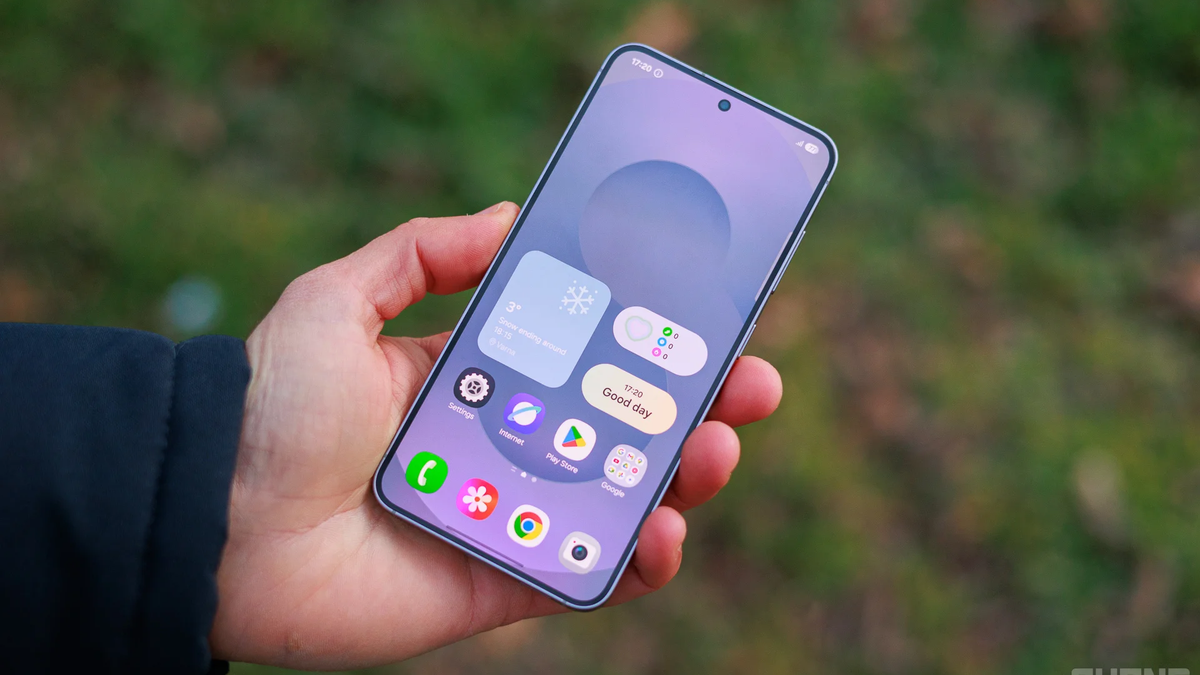
Liquid Glass and iOS 26 have decimated any goodwill I had with Apple's crack software team, as the release has been rocky at best. From visual glitches to questionable design decisions, iOS 26 opened Pandora's box for a ton of problems that simply put me off, and I did the unthinkable: parted ways with my trusty iPhone 13 Pro Max. I haven't even updated my MacBook to macOS Tahoe—and never will.
Even then, there's still one long-standing genius iOS feature that I sorely miss and actually can't believe hasn't been copied by more Android manufacturers out there. It's peculiar to actively urge Android phone makers to steal a software feature from their archrival and, simultaneously, biggest inspiration—Apple—but if this is what it would take to bring this awesome functionality to my Chinese Android phone, then let's go.
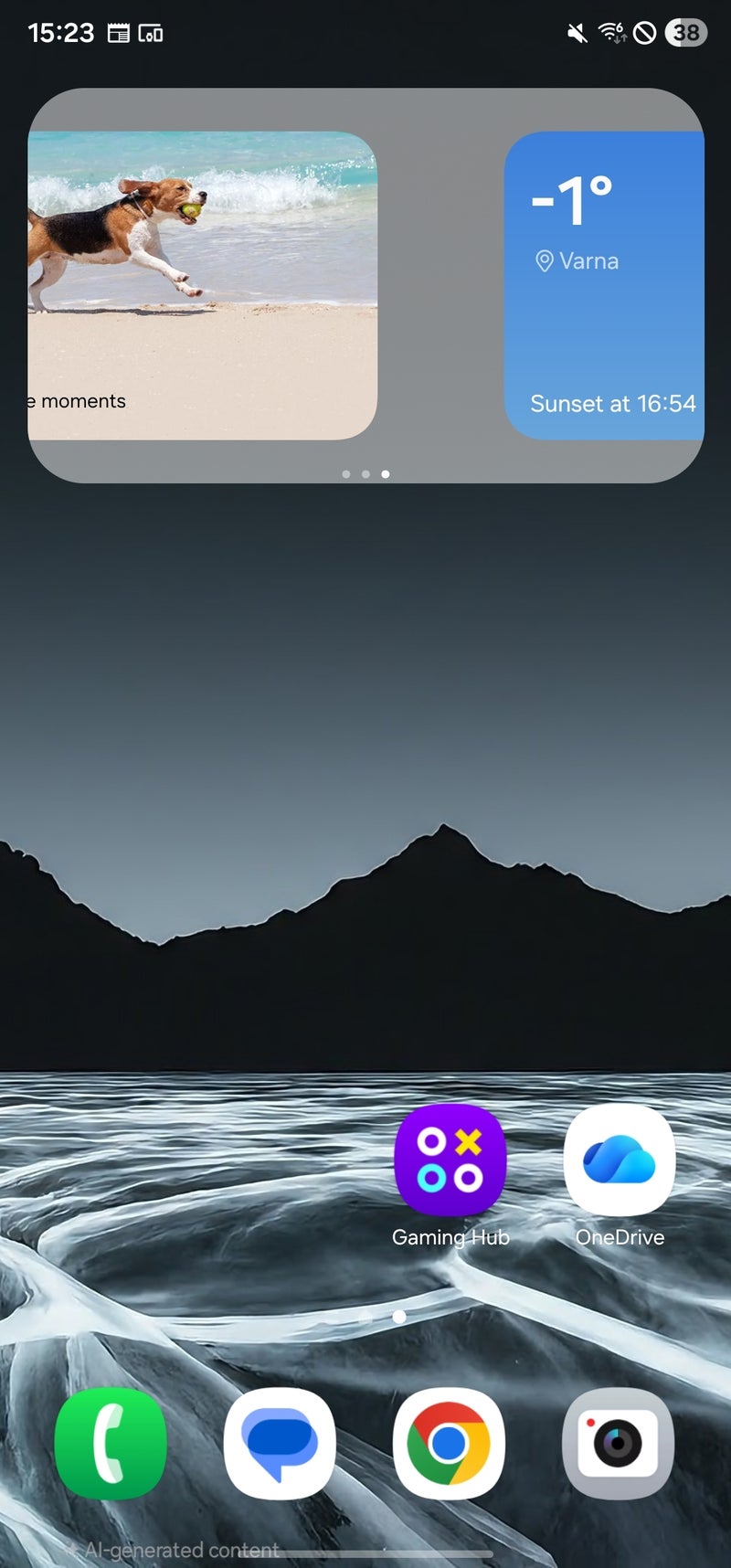
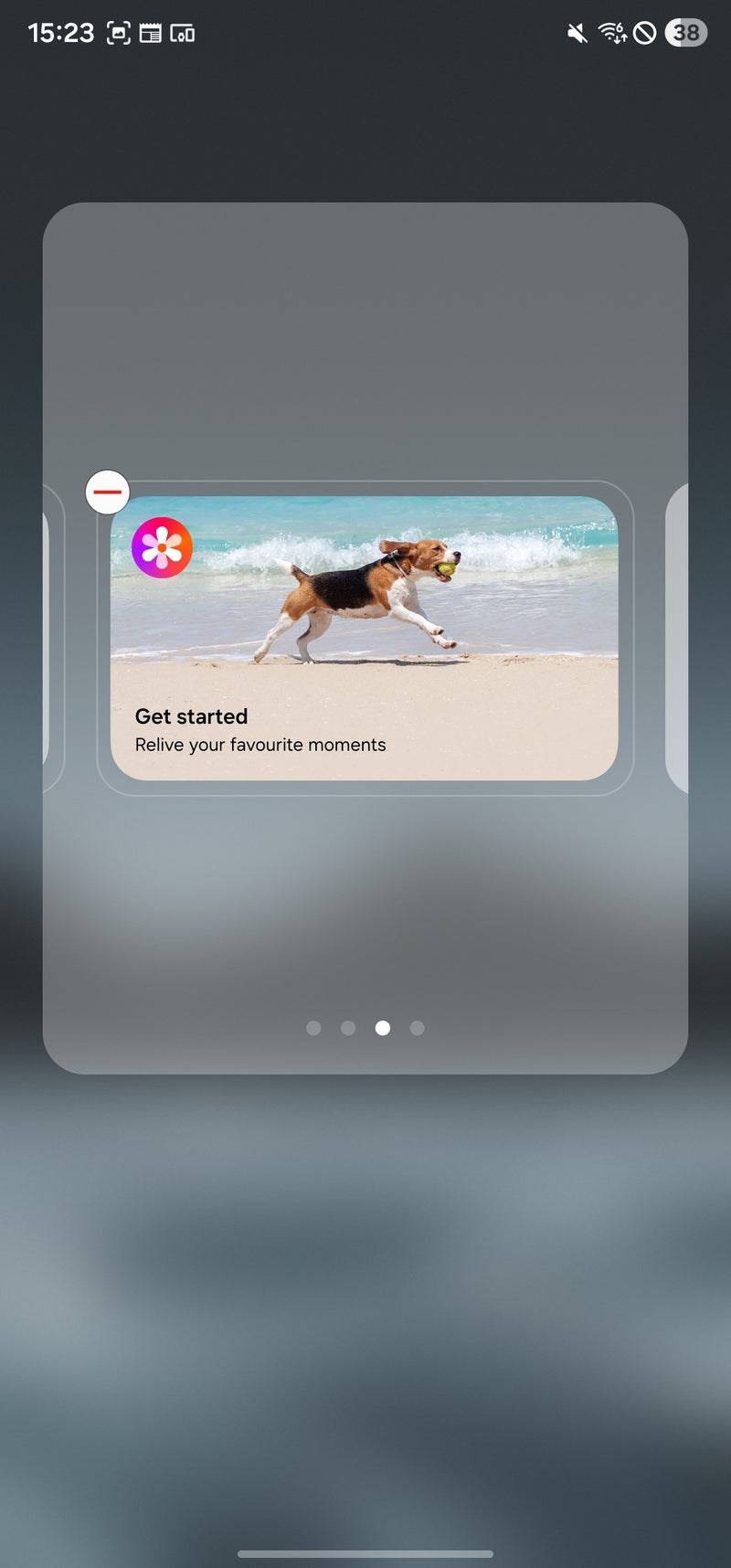
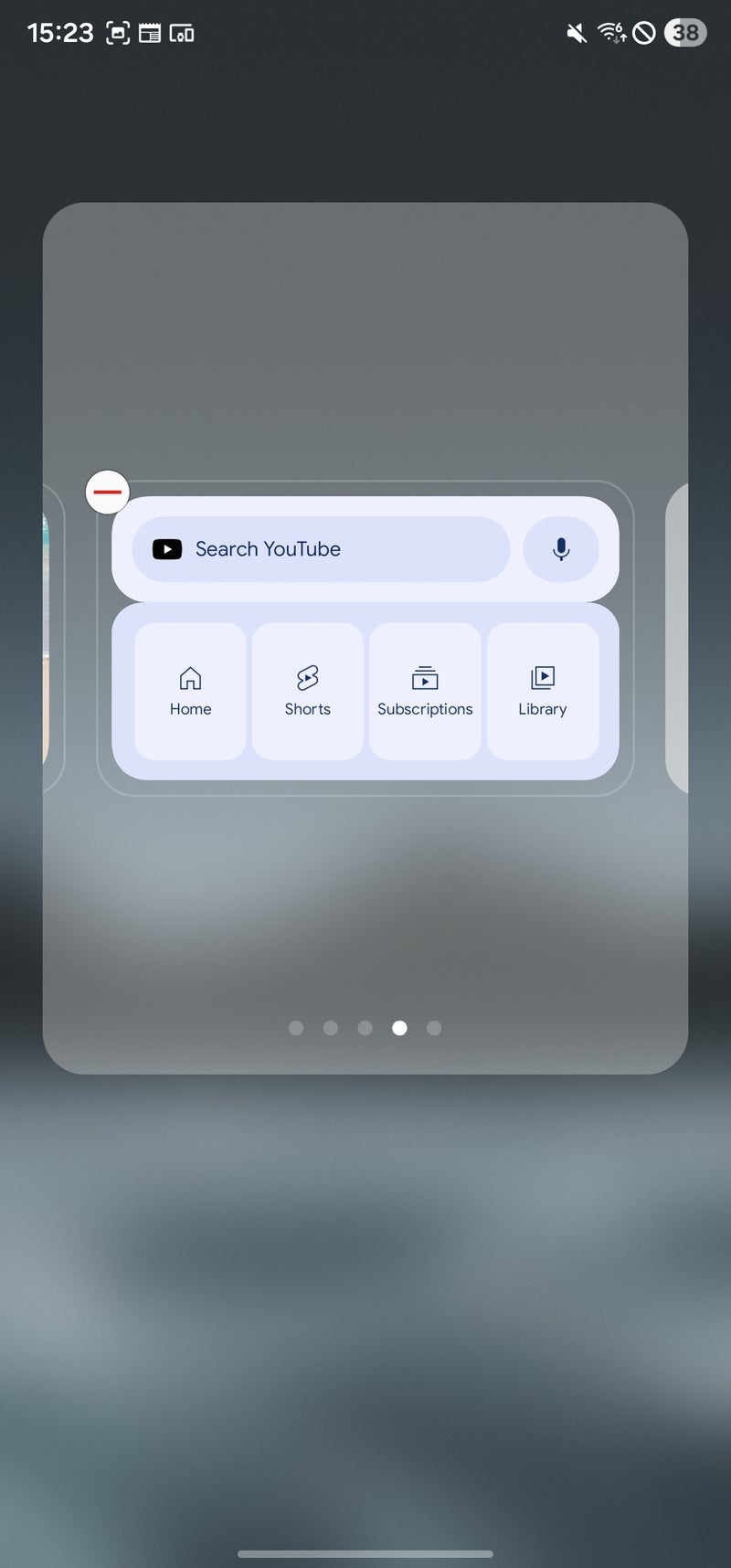
To my knowledge, only Samsung has taken the opportunity to snatch this feature from Apple's exclusive walled garden.
The feature in question? Stackable homescreen widgets!
Widget stacking is an extremely underrated software feature
Smart Stack, the iOS feature that lets you create carousels of widgets on your iPhone home screen, was introduced with iOS 14, and ever since then it has been one of my favorite iOS nice-to-haves that subtly elevates Apple's operating system.
You can essentially have multiple widgets occupying the space of a single one, creating an efficient, clean, and functional home screen.
I can't argue with more choice, and there's nothing not to like here. This is a net-gain feature that comes with zero drawbacks.
Android is slow to notice the potential
What are your options if you want to use the same feature on your Android phone?
There are three clear solutions right now.
Option 1: Get a Samsung phone
Since One UI 4.1, Samsung phones have supported widget stacking, so if your Samsung phone runs One UI 4.1 or newer, you definitely can stack widgets.
To start, just add any widget on your homescreen, press and hold it, and in the dialog that opens up, choose "Create Stack". You will be shown a list of all your widgets, but have in mind that you can't really mix and match differently sized ones.
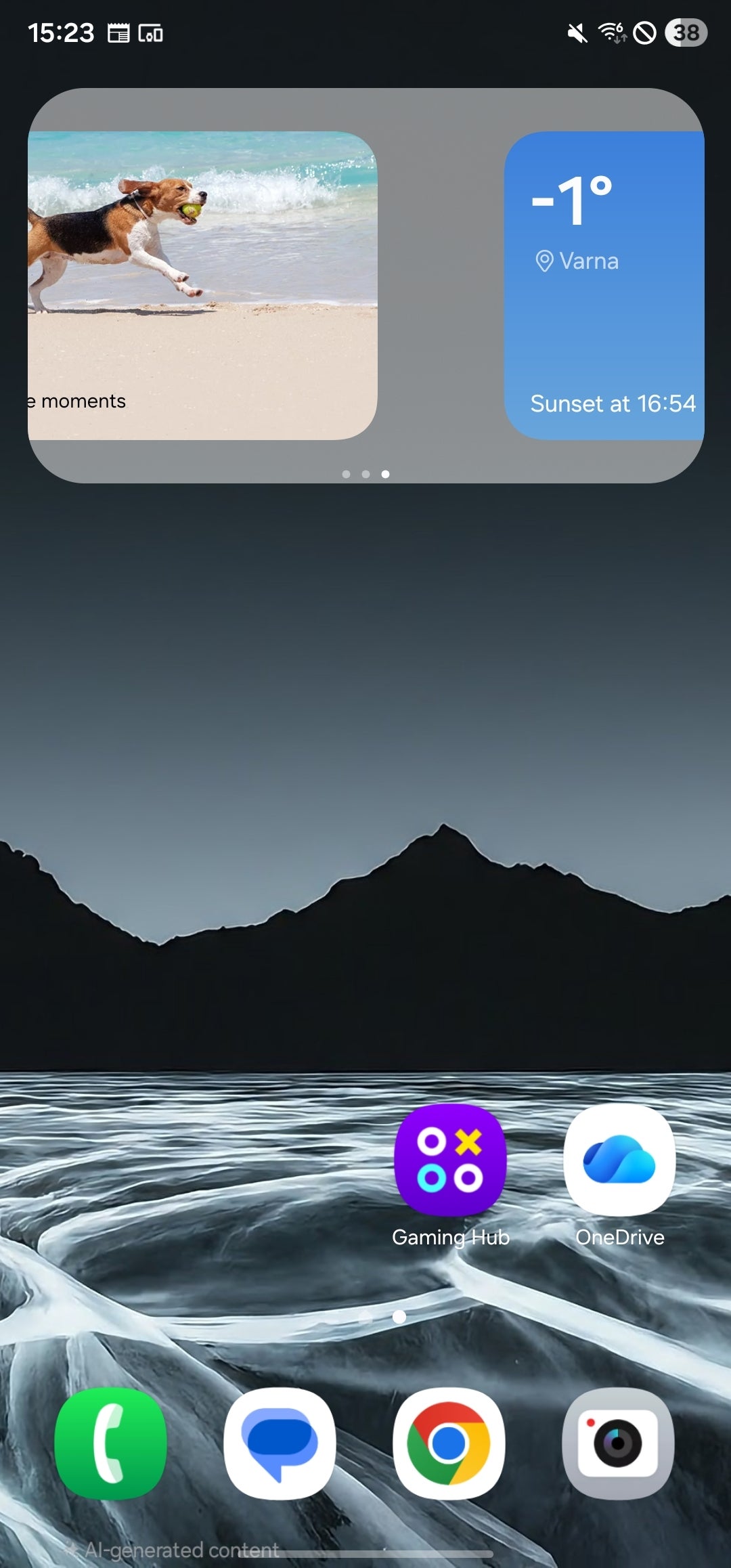
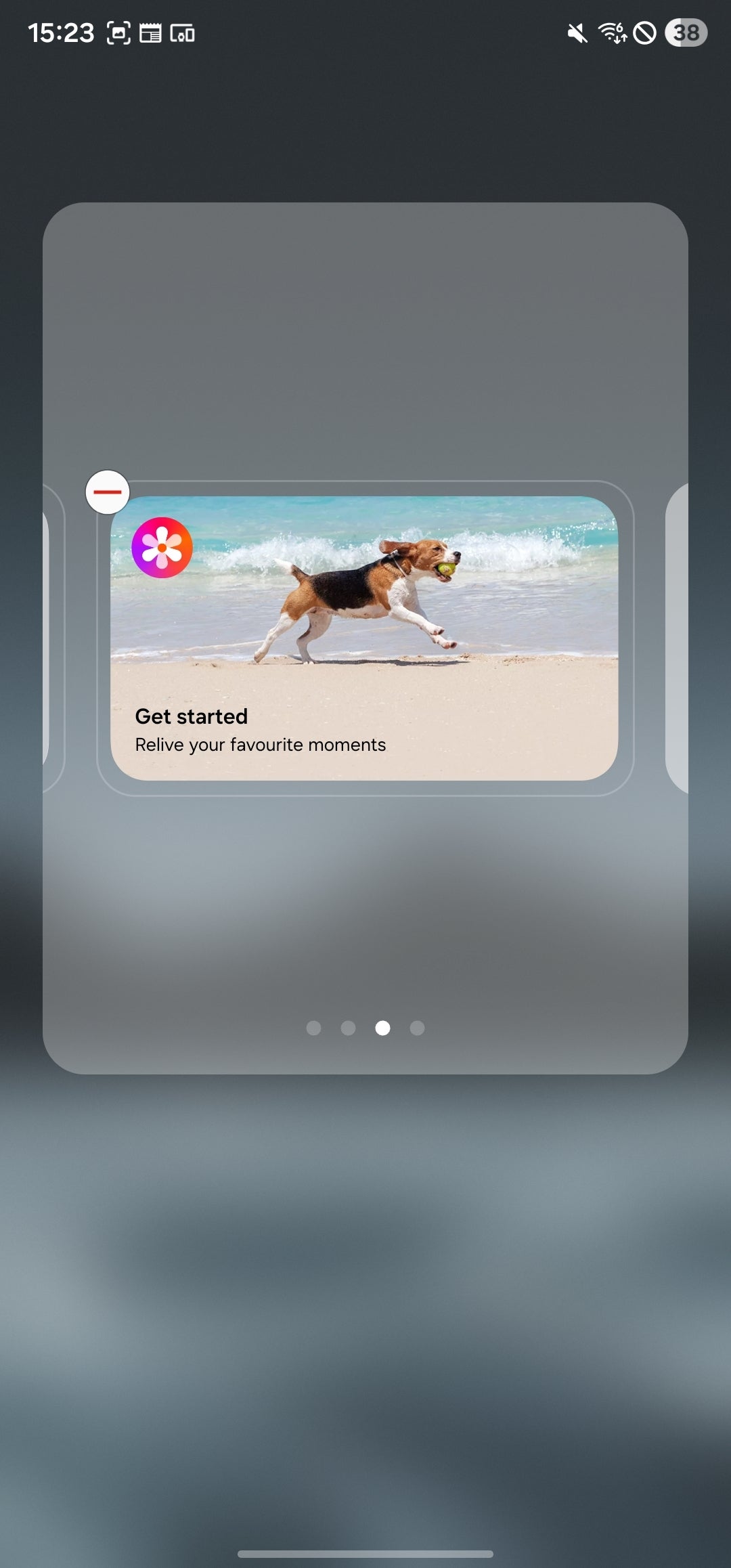
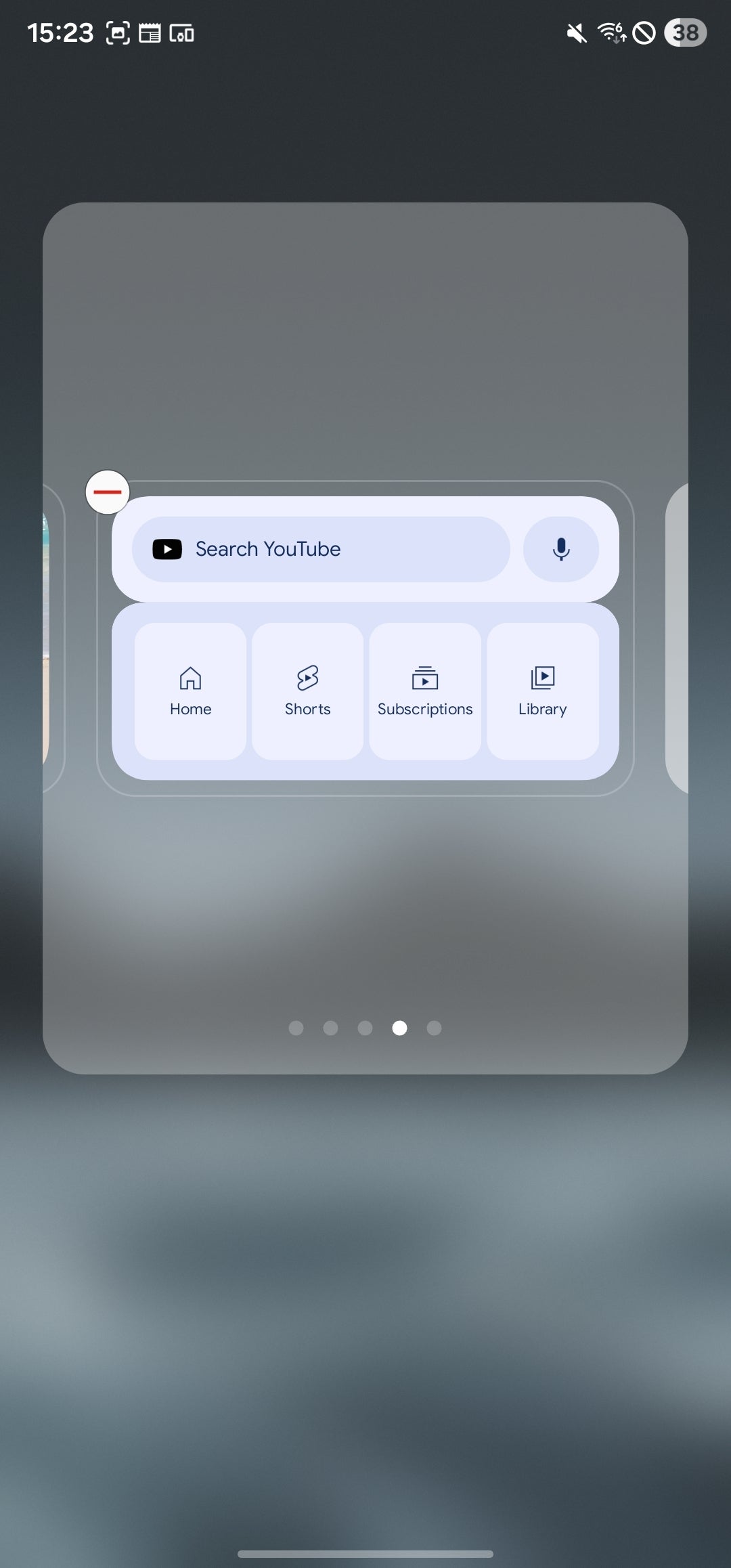
Once you create a stack, you can long-press it to edit the positioning of your widgets, remove and add new ones, and so on.
Option 2: Use a custom Android launcher on any Android device
Although using custom Android launchers is the exception rather than the norm these days, there are still appealing use cases for these apps.
One of the launchers that lets you create stacked widgets on any Android phone, be it Samsung or not, is called Smart Launcher 6. Honestly, stacked widgets are just one of the feature footnotes of this excellent app, which introduces a ton of excellent customization tools.
Widget stacking works very intuitively here as well. You just add a widget, long-press to access the context menu, and from there, you can freely add more widgets that can be swiped sideways just like in base One UI.
There are a couple of "gotchas" here, however.
First up, the widget stacking feature is locked behind a paywall and is only available in Smart Launcher Premium (which is totally worth it).
The more concerning thing here is some Android skins' seeming incompatibility with custom launchers and this particular one. You won't have any problems running it on a Pixel or a Samsung, but Oppo phones will always redraw the whole desktop when you try to go back home, leading to an aggravating 2-second lag. Vivo phones, on the other hand, wouldn't let you swipe the navigation handle to switch between open apps when using Smart Launcher 6. With Xiaomi devices, you won't even be able to use navigation gestures at all and will be forced to use three-button navigation like it's 2016.
Option 3: Find a dedicated Android app
There might be an Android app out there that essentially brings stacked widgets to any device out there. Sadly, I can't recommend any of the ones I found and tried, as neither worked well enough. If you find a good recommendation, please drop a comment and share your find.
Conclusion
In my opinion, Android manufacturers should strive to cover the basics of good UX design before they go out of their way to jump on the trendy AI bandwagon and introduce features nobody asked for.
It's been more than five years since this useful feature has been on iPhones and a few years since Samsung phones have had it, but no other phone maker has noticed. I know it's too much to ask for actually novel interface features in this day and age, but at least adopting the great features of other manufacturers should be pretty high on most manufacturers' lists.

Follow us on Google News

Popular stories






Latest News




Things that are NOT allowed:
To help keep our community safe and free from spam, we apply temporary limits to newly created accounts: