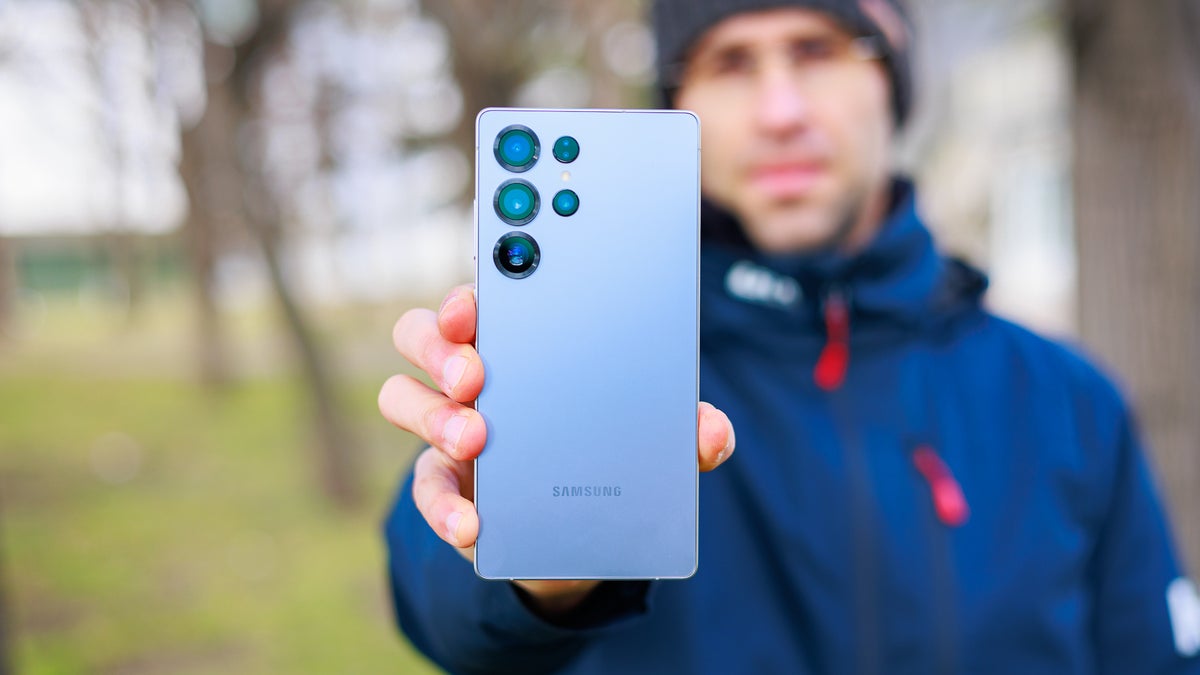
Expert RAW is an advanced camera app available for Samsung smartphones that gives you a lot of manual controls to take beautiful images. It has recently received a new update that has introduced Ocean Mode to the S25 Ultra.
But what exactly is this Ocean Mode, and why do I think you should avoid using it? Here's everything you need to know.
What is Ocean Mode?
At the start of 2025, Samsung announced a partnership with a US-based non-profit organization, Seatrees. The objective of this collaboration was to assist the organization in restoring coral reefs. To help with this task, the tech giant developed a dedicated camera feature called Ocean Mode, which takes better-quality underwater photos than photos taken in normal mode.
Recommended For You
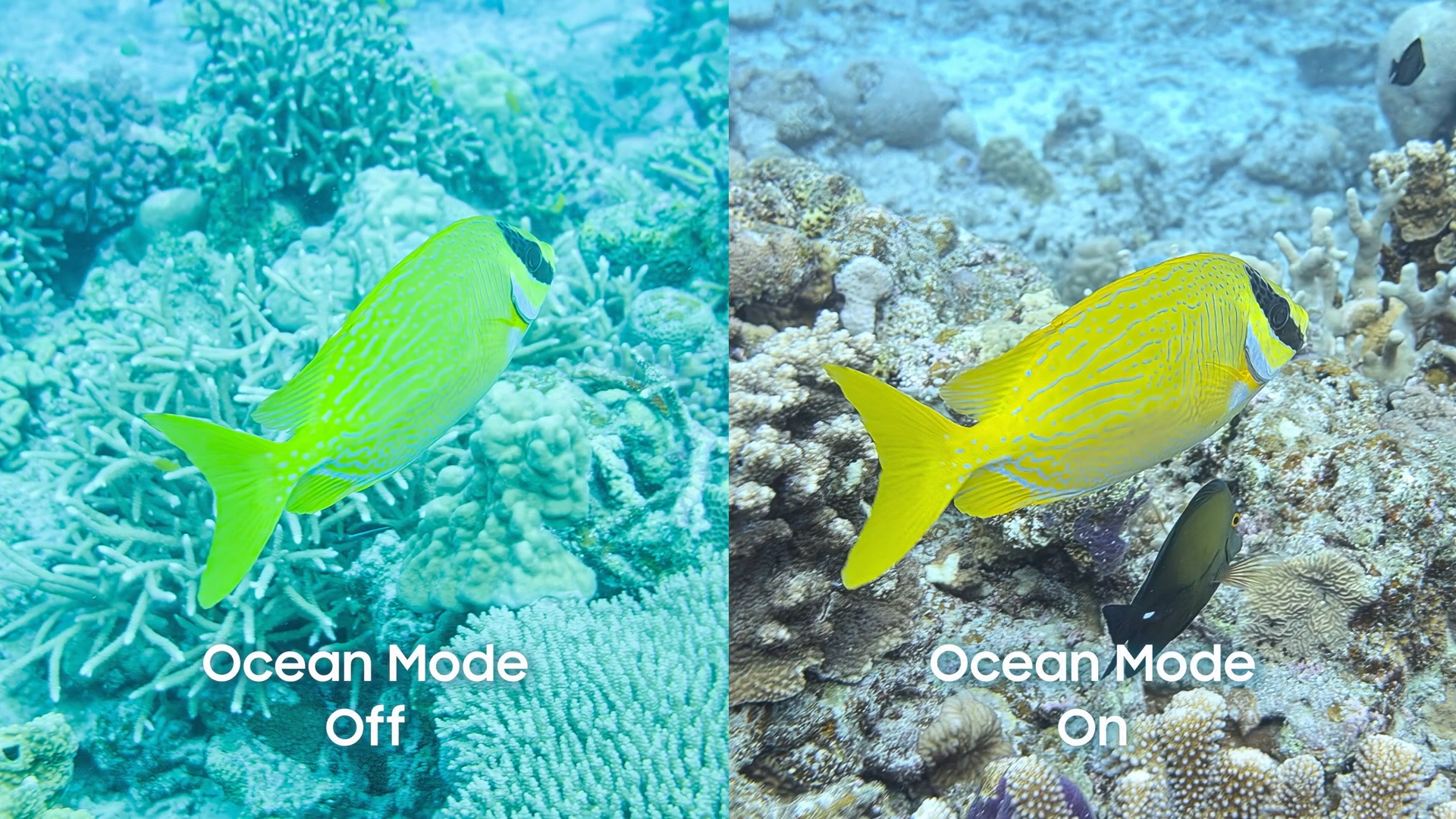
As it turns out, when you take an underwater image with any phone, the result looks warped and very dull. In some cases, you will also find a blue or green tint on the images. Ocean Mode basically addresses all these problems.
It uses smart algorithms to fix the color and visual distortion of underwater images, and that too in real time. As a result, you end up getting images that look exactly like what your eyes see under the water.
Recommended For You
All that said, divers who were part of the Seatrees community were then encouraged to use this feature on their Galaxy S24 Ultra to take images of coral reefs. These images were then used by the scientists to figure out the condition of the coral reefs. They were also used in the development of their 3D models.
It's now available on the S25 Ultra
An underwater image taken with Ocean Mode enabled. | Image by Samsung
Since its introduction, the feature has been available only to members of the Seatress and Samsung partnership. But during the recently held Galaxy Unpacked event, Samsung announced that it is bringing this feature to the Galaxy S26 Ultra. Now, it is reportedly available on the S25 Ultra as well with the One UI 8.5 beta update.
Once you have the latest One UI update installed, you need to open the Galaxy Store, search for the Expert RAW app, and download its latest update. Specifically, you need to make sure that you have app version 5.0.08.2 installed on your Galaxy S25 Ultra. After downloading this update, you can follow the steps below to use Ocean Mode:
Open the Camera app, and tap the More option
Choose Expert RAW from the menu that appears
Tap the beaker icon and choose Ocean Mode
Both Samsung and Seatrees have uploaded plenty of images online, which you can check to compare how much better the photos turn out underwater with Ocean mode enabled.
Is this feature for everyone? Definitely not
While the feature sounds impressive on paper, there's a big catch you need to be aware of. It's basically the IP rating of the Galaxy S25 Ultra.
As it turns out, the phone comes with an IP68 rating, which gives you assurance that it will remain safe even when used against dust or submerged in 1.5 meters of water for up to 30 minutes. The main point to note here is that Samsung only claims protection against freshwater, not saltwater as found in oceans.
When you take the device under the ocean, saltwater can damage the adhesive and other protective layers that make the Galaxy phone water-resistant. You might now wonder how the divers took their Samsung Galaxy phones underwater to photograph coral reefs. They placed their devices inside waterproof housings before submerging them.
What's your take on the Galaxy S25 Ultra's Ocean Mode?
Always use protection
As mentioned above, taking your Galaxy phone into the ocean ruins its watertight seals. It can also damage the phone's microphone and speaker. So, you might end up spending hundreds of dollars to repair your Samsung phone if you don't use a waterproof case for your Galaxy phone while taking images with it in saltwater.
All that said, there's a strong possibility that this feature could land on older devices as well. That's because it's a software-level upgrade and has little to do with the phone's hardware.
If you've made it this far, I'd highly appreciate you guys following me on X and Threads, where I share my thoughts on everything related to smartphones.
Aman Kumar is a tech news writer with a long-standing passion for smartphones. Aman specializes in everything smartphones, from AI features like Pixel’s Camera Coach to understanding ideal hardware combinations. He loves breaking down complex features in a simple, clear way and hopes manufacturers bring back bold designs like the Nokia N-Gage. When he’s not writing, he’s either gaming on PUBG or talking fitness as a dedicated gym enthusiast.
A discussion is a place, where people can voice their opinion, no matter if it
is positive, neutral or negative. However, when posting, one must stay true to the topic, and not just share some
random thoughts, which are not directly related to the matter.
Things that are NOT allowed:
Off-topic talk - you must stick to the subject of discussion
Offensive, hate speech - if you want to say something, say it politely
Spam/Advertisements - these posts are deleted
Multiple accounts - one person can have only one account
Impersonations and offensive nicknames - these accounts get banned
To help keep our community safe and free from spam, we apply temporary limits to newly created accounts:
New accounts created within the last 24 hours may experience restrictions on how frequently they can
post or comment.
These limits are in place as a precaution and will automatically lift.
Moderation is done by humans. We try to be as objective as possible and moderate with zero bias. If you think a
post should be moderated - please, report it.
Have a question about the rules or why you have been moderated/limited/banned? Please,
contact us.









Things that are NOT allowed:
To help keep our community safe and free from spam, we apply temporary limits to newly created accounts: