YouTube Music users now have to pay for a premium subscription to use a feature that was once free (UPDATE)
Seeking to add more premium subscribers to YouTube Music, a paywall has been added to a popular feature.
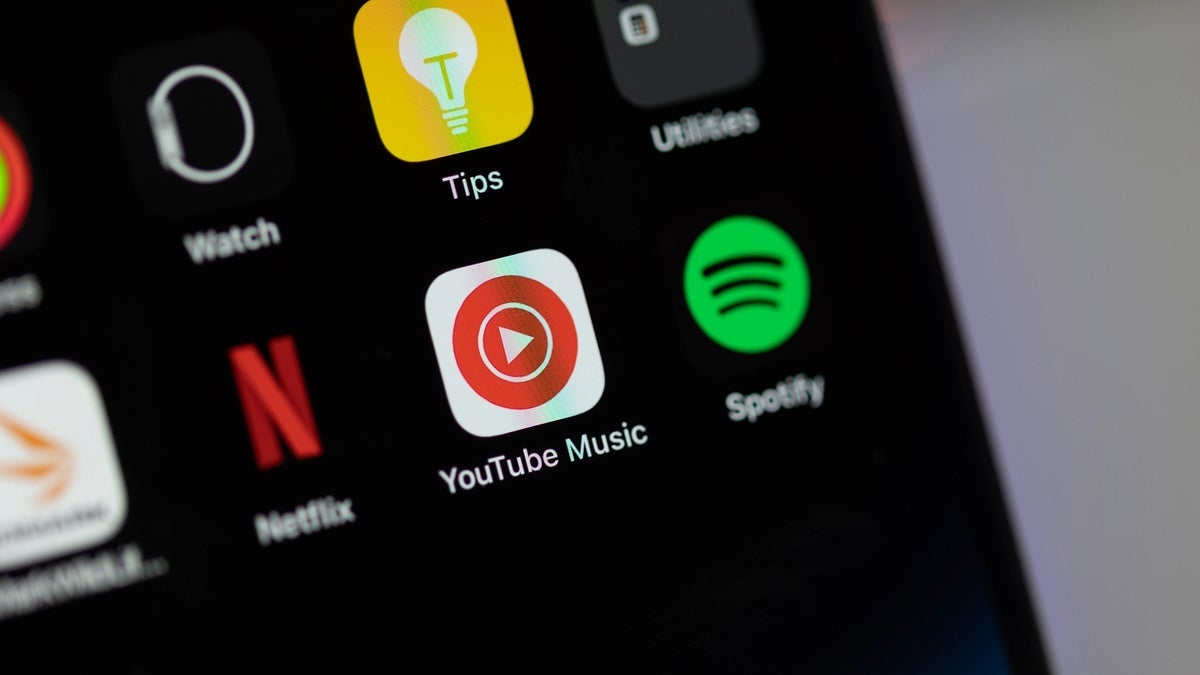
UPDATE: Google responded with a statement on Monday. "We are running an experiment with a small percentage of ad-supported users that may impact their ability to access the lyrics feature repeatedly. We often run experiments on YouTube Music to better inform our decisions around feature improvements. The majority of our global users will not see any changes to the lyrics feature."
The original story starts below:
Google is now requiring that YouTube Music users pay up for a premium subscription in order to see lyrics to songs
This is something that Google had been testing and is rolling out now to some Android and iOS users. There are reports that a few YouTube Music users, when they tapped on the middle Lyrics tab on the bottom of the display in the Now Playing screen, received a card that said, "You have [x] views remaining" and "Unlock lyrics with Premium." YouTube Music users receive lyrics for five songs free before they must subscribe to receive lyrics on additional tunes.
Will you sign up for a premium subscription?
Yes. I love seeing song lyrics while the tune plays.
8.28%
No. This is not right.
86.68%
I don't know. I haven't decided yet.
5.04%
Once you have seen the lyrics to five songs, the next time you try to see the words to a song without paying for a premium subscription, you'll see only a few lines of the lyrics with the rest blurred and unscrollable. Google has been testing this for several months and it seems that it has started rolling out the paywall globally. However, I'm still getting the lyrics on the free version of YouTube Music on both my Pixel 6 Pro running Android 16 QPR3 Beta 2, and my iPhone 15 Pro Max running the latest iOS 26.3 Beta.
How much a YouTube Music premium subscription costs and what you get in return
If you want lyrics, ad-free listening, the ability to continue playing a song in the background even when you exit the YouTube Music app, then subscribing to a premium subscription of the service might be worth it to you. Priced in the U.S. for $10.99 per month, besides the aforementioned features you'll also be able to take advantage of offline downloads, and AI features like Ask Music. With offline downloads, you'll be able to listen to music you previously downloaded when offline, in areas with poor cellular connectivity, or when you are unable to connect to a Wi-Fi signal.
Ask Music, powered by Google Gemini, allows users to build a playlist of music that has a certain "vibe" instead of requesting tunes from a certain artist. Some examples would be:
- "Upbeat pop princesses I can powerlift to"
- "Slow, acoustic covers for a rainy Sunday morning"
- "90s grunge that sounds like it’s being played in a garage"
- "Music to help my dog stay calm while I'm away"
Gemini helps to create a "radio station" with tunes that match your descriptions, and if you like the results, tap on "Add to library" to make it a permanent playlist.

Looking up lyrics shows a page asking that you subscribe to a YouTube Music premium subscription. | Image credit-9to5Google
Other payment tiers offered for YouTube Music premium subscriptions
Besides the $10.99 individual YouTube Music subscription, a family with up to six people in the same household can pay $16.99 per month and share the same subscription. Verified students (who must be verified each year) pay only $5.49 per month.
Or you can pay $13.99 monthly for YouTube premium which includes ad-free videos, video downloads, background video play, YouTube Kids (ad-free), and a YouTube Music premium subscription. Last week, when Alphabet announced fourth quarter and full-year 2025 earnings, it announced that Google now has "over 325 million paid subscriptions across consumer services, led by strong adoption for Google One and YouTube Premium."
If you don't have YouTube Music on your Android phone, simply tap on this link to head to the Google Play Store where you can install the app. Having an iPhone does not penalize you since YouTube Music is also available to iPhone users. Simply tap on this link to be sent to the App Store where you can install the app on your iPhone.

Follow us on Google News

Popular stories






Latest News




Things that are NOT allowed:
To help keep our community safe and free from spam, we apply temporary limits to newly created accounts: