If you’re a Pixel user, Feature Drop time is usually a pretty exciting time, but this new March update is specially packed. Google is pushing out a massive Feature Drop with plenty of exciting features that hit not just the latest Pixel 10 series phones but also go all the way back to the Pixel 6 series and the Pixel Watch.
Video by Google
AI is taking center stage on Pixel phones
Google has just made an announcement outlining the exciting features coming to Pixel phones, and it seems the phones will be much more proactive with the latest update. For the fashionistas out there, Google is introducing a huge upgrade to the "Circle to Search" feature called "Find the Look." So, if you circle a picture of someone’s outfit, the AI will not only show you where you can get the outfit but also break down each piece into where you can purchase each one individually. And if you want to try it on virtually, you can do that too.
Recommended For You
Here’s what else is coming to Pixel phones with the March Pixel Drop
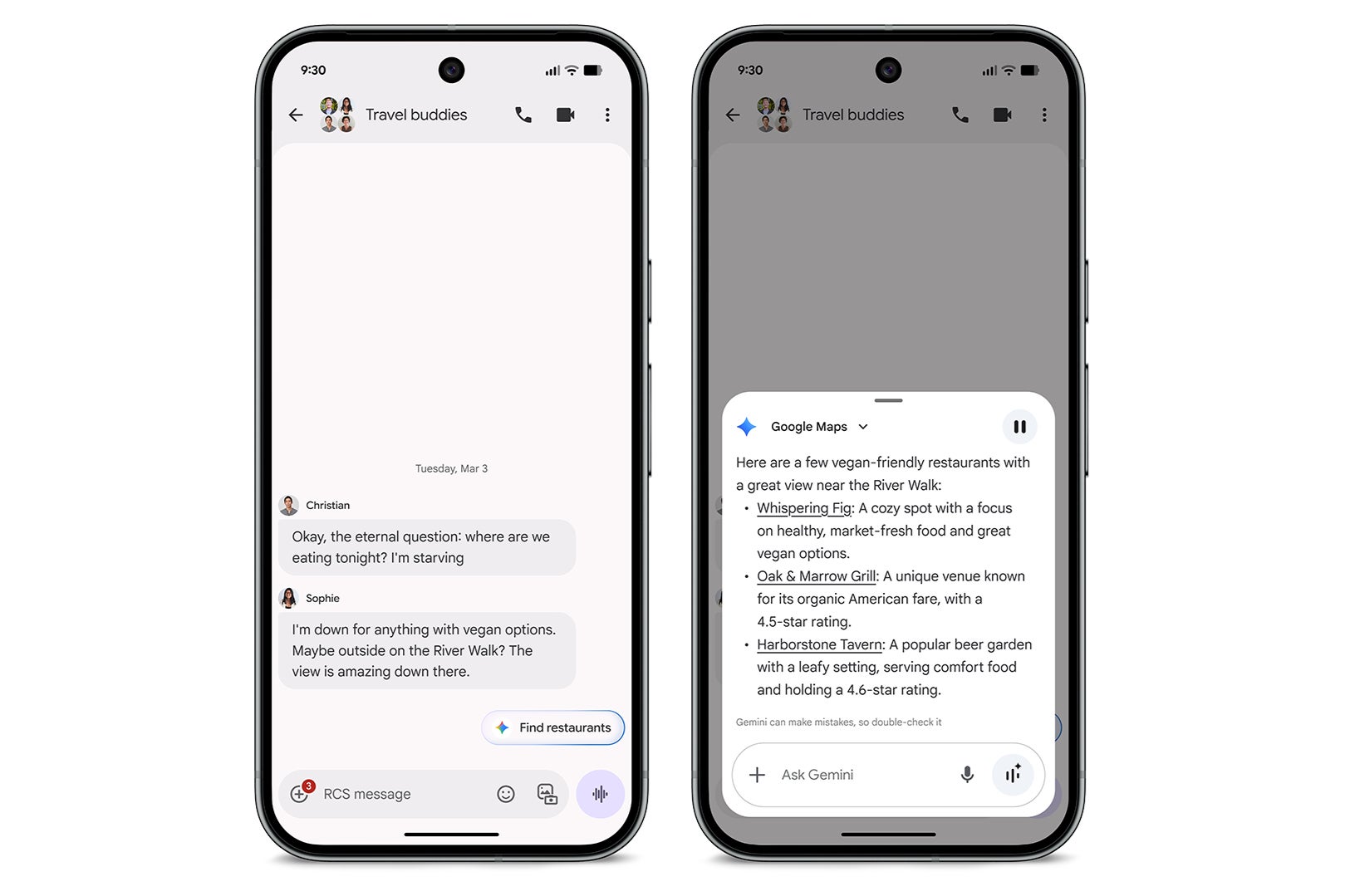
Magic Cue: When you’re chatting with a friend about plans for dinner, the AI-powered Gemini will proactively suggest restaurant suggestions based on the conversation.
Magic Cue can now recommend restaurants on the Pixel 10 Series phone (except the Pixel 10a). | Image by Google
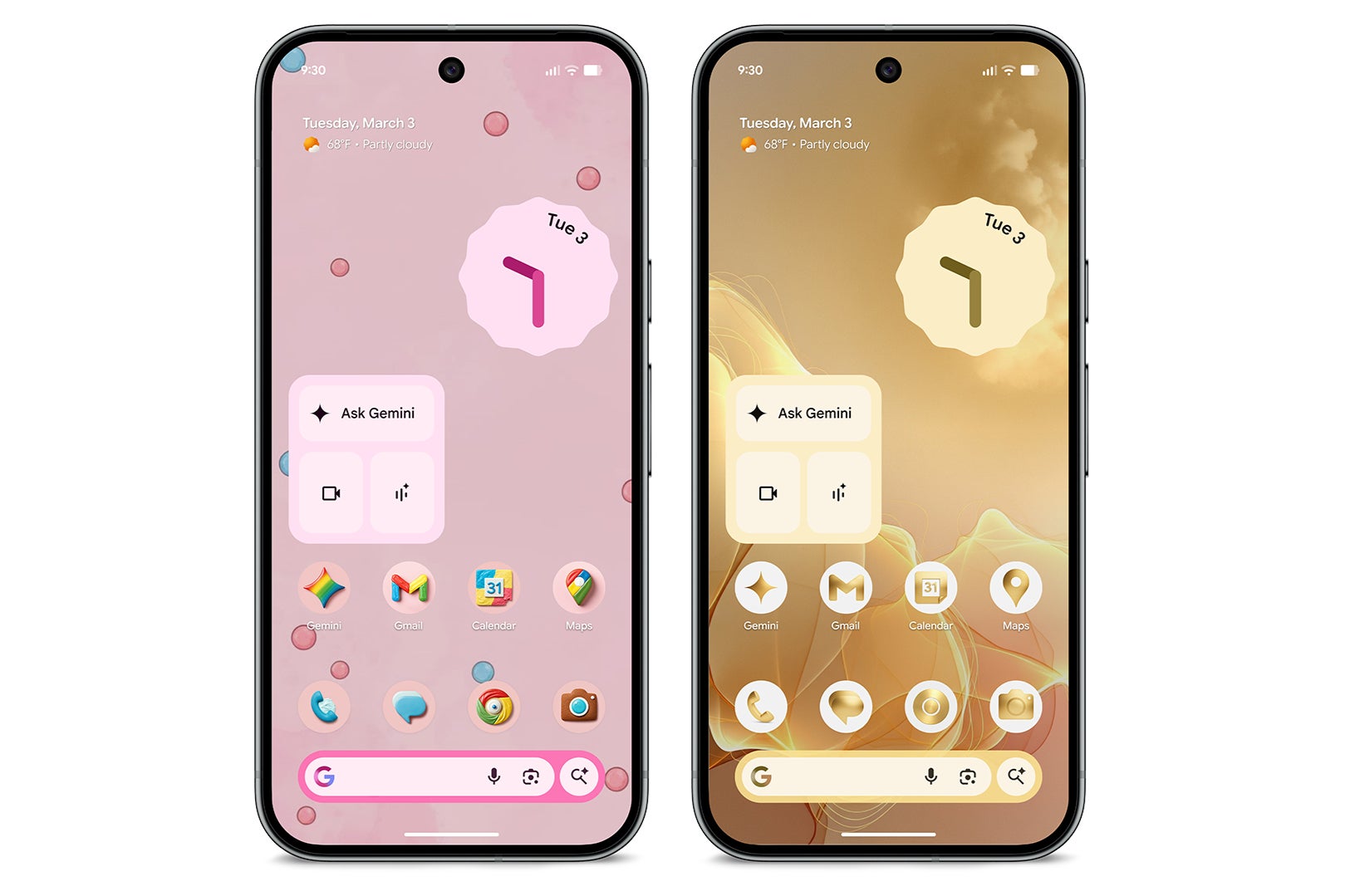
Custom AI Icons: You can create a totally unique set of home screen icons using AI.
Custom AI icons. | Image by Google
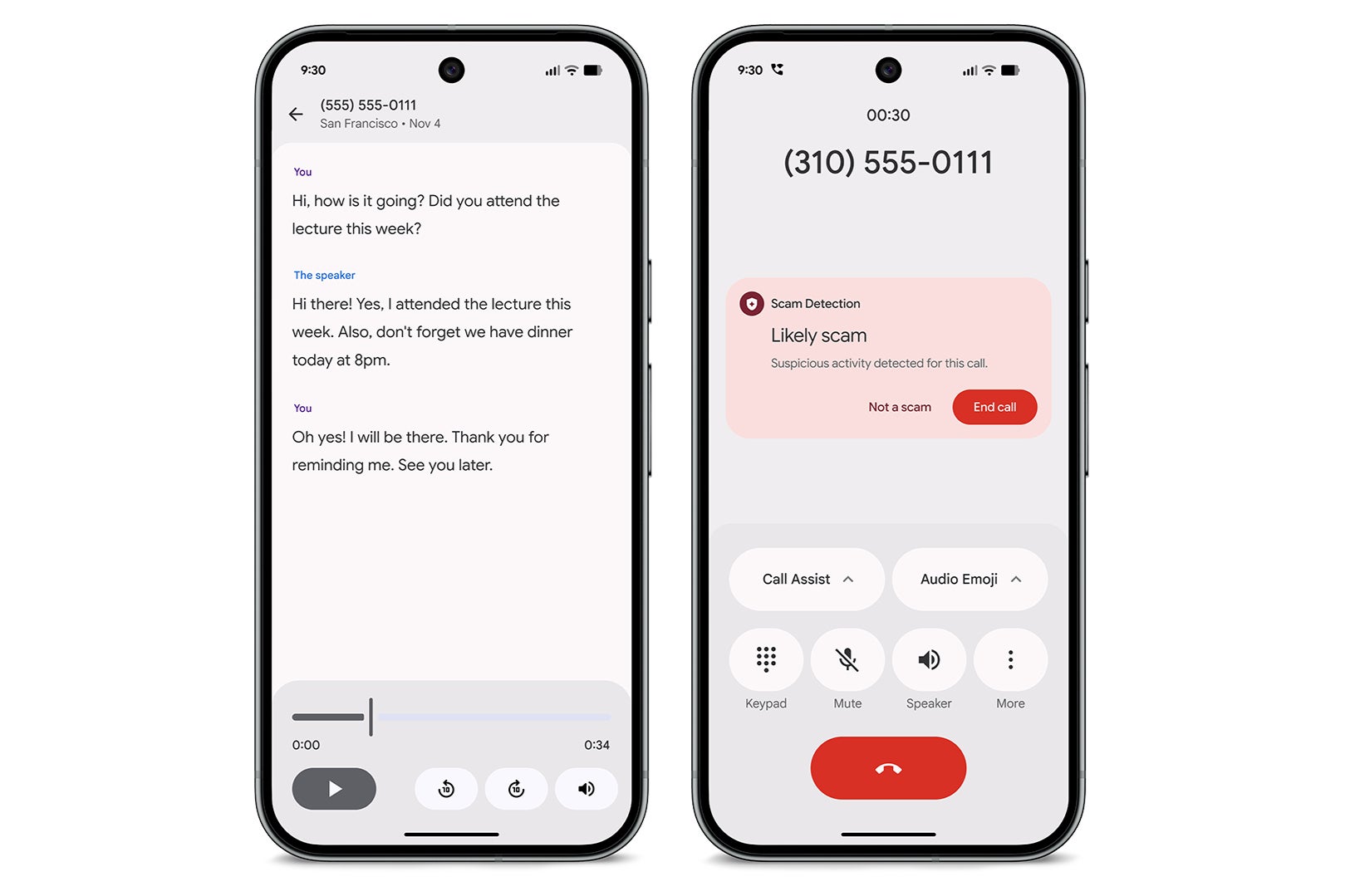
Scam Detection expansion: The clever AI listening for "scammer" speech patterns during phone calls is expanding to Mexico and Japan.
Scam detection. | Image by Google
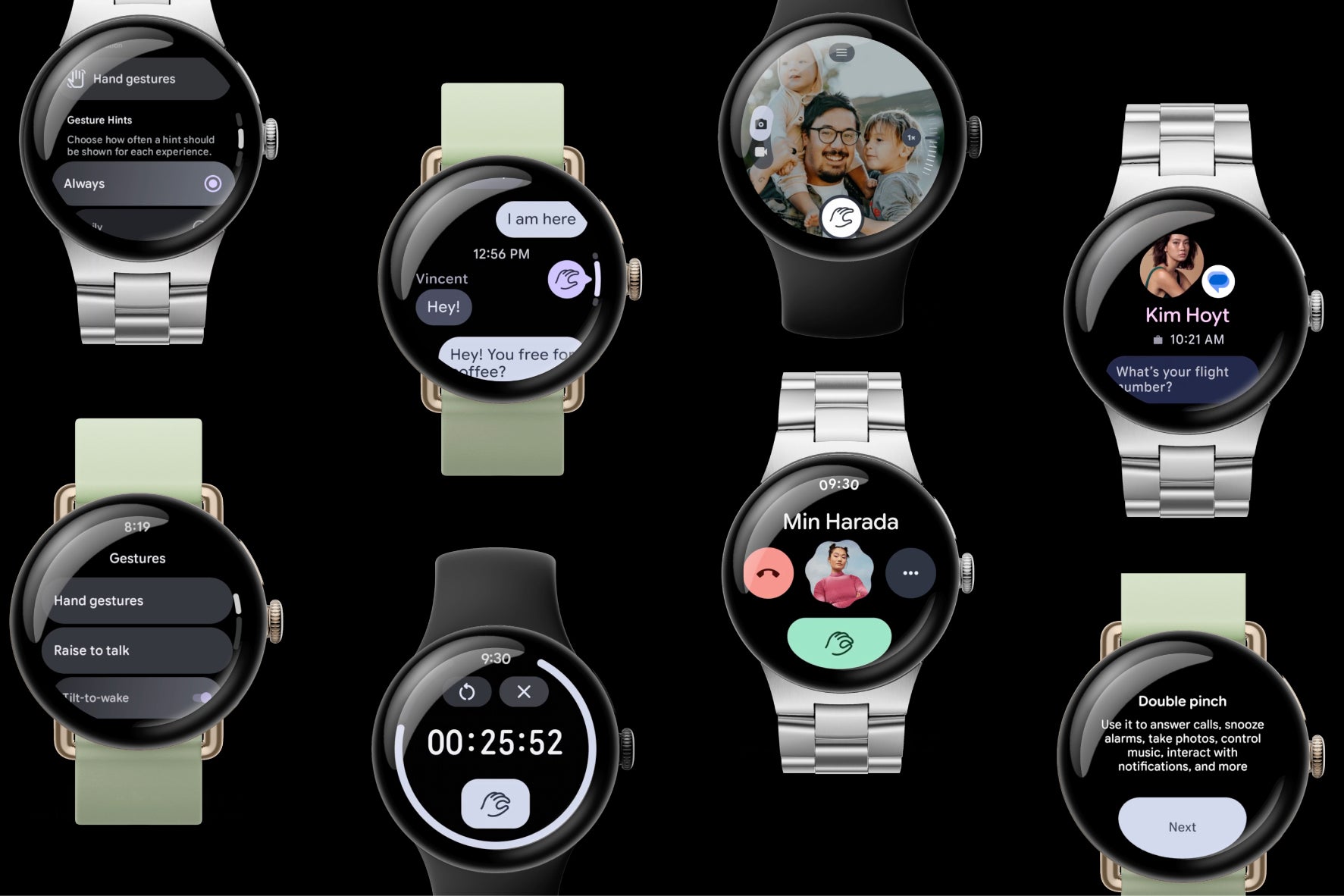
One-Handed Watch Gestures:Pixel Watch 3 owners will be able to answer calls or pause a workout with a flick of the wrist or a double pinch on the screen.
Pixel Watch one-handed gestures. | Image by Google
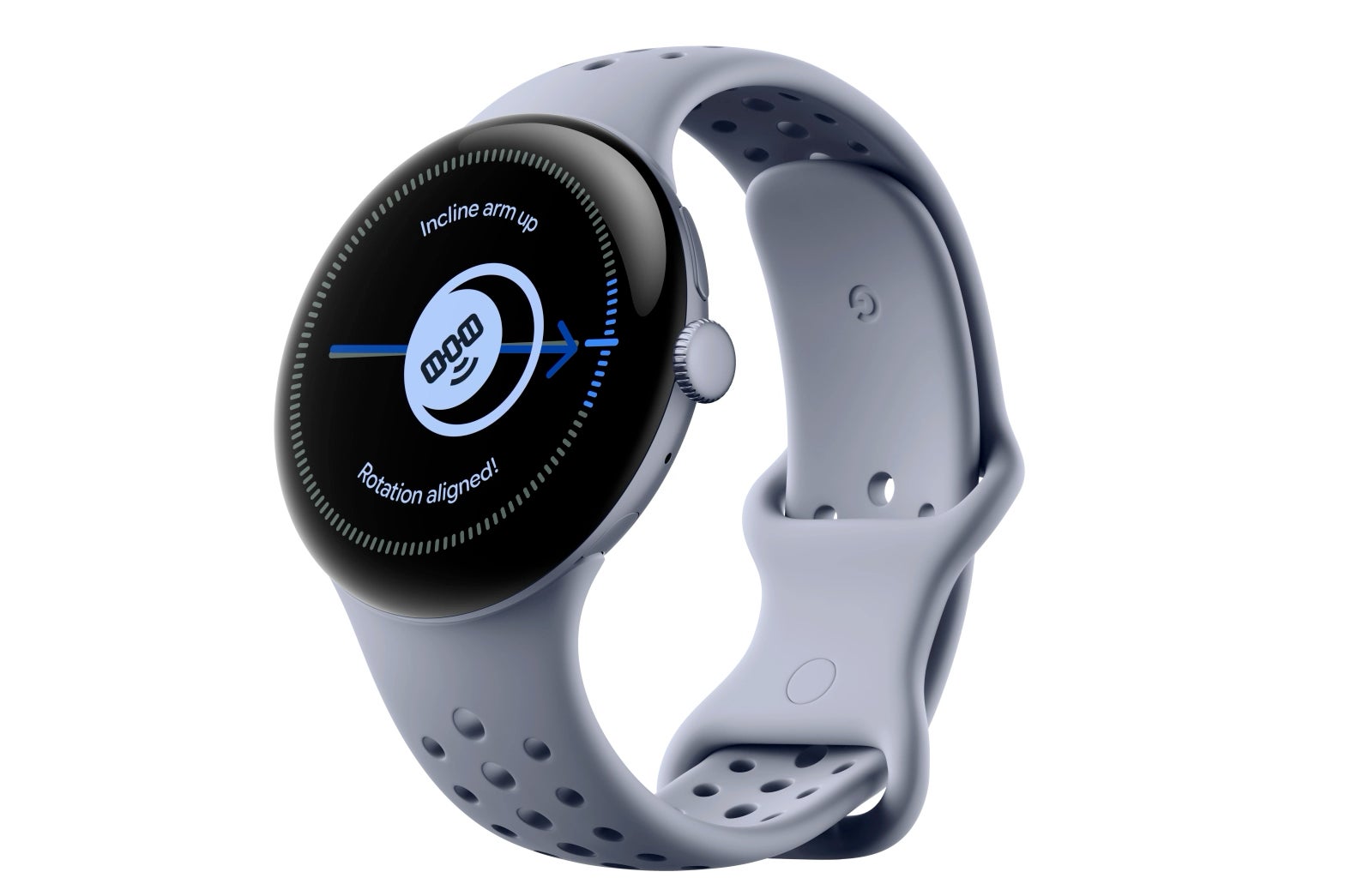
Satellite SOS expansion: Safety is going global with Satellite SOS, which is coming to Europe, Canada, Hawaii, and Alaska on Pixel Watch 4, enabling you to access emergency services even when off the grid.
Satellite SOS. | Image by Google
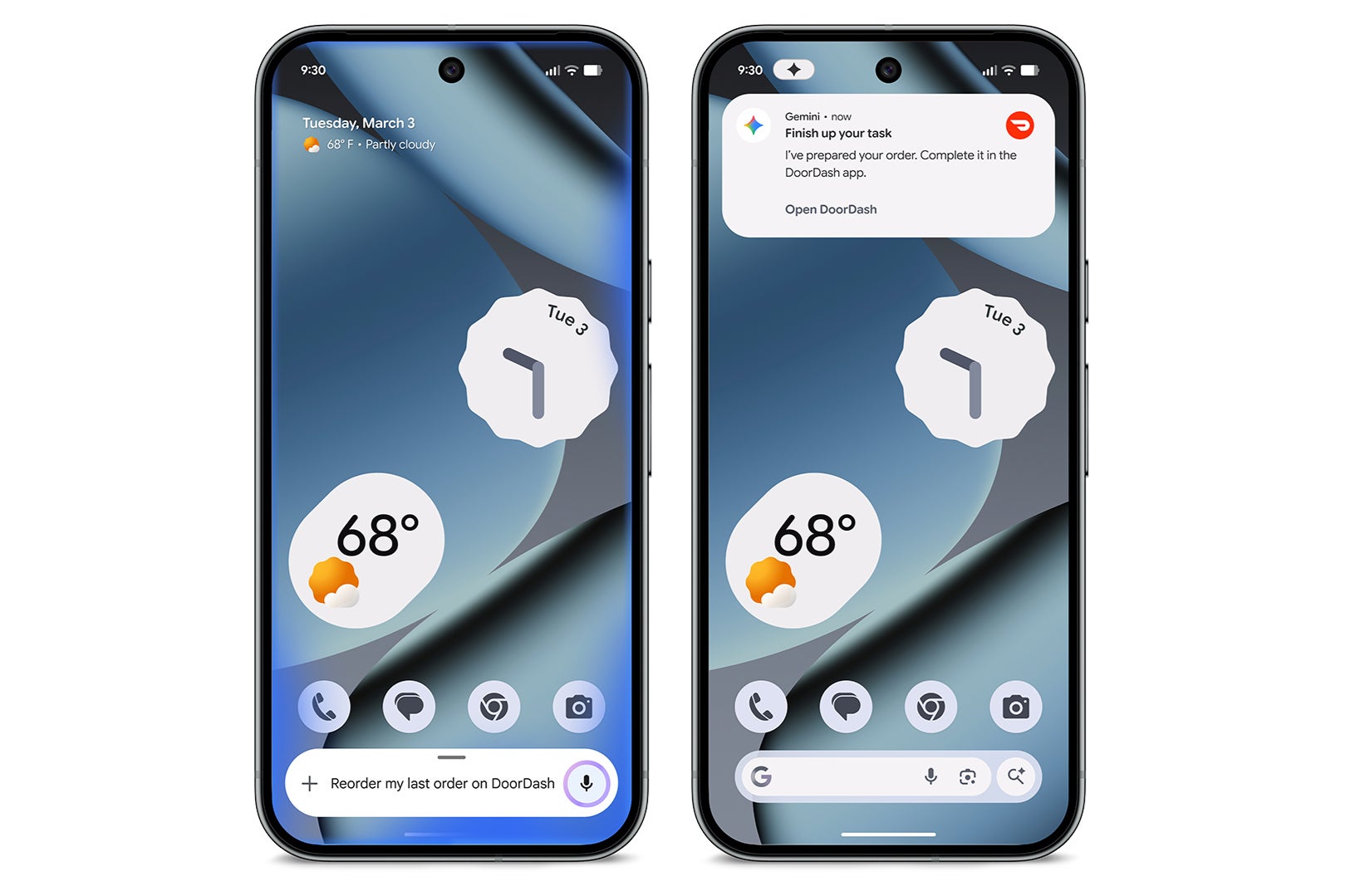
Offload tasks to Gemini: You can offload tasks such as ordering groceries or booking a ride using Gemini. It will perform the task in the background and keep you updated on the task.
You can now ask Gemini to do more for you. | Image by Google
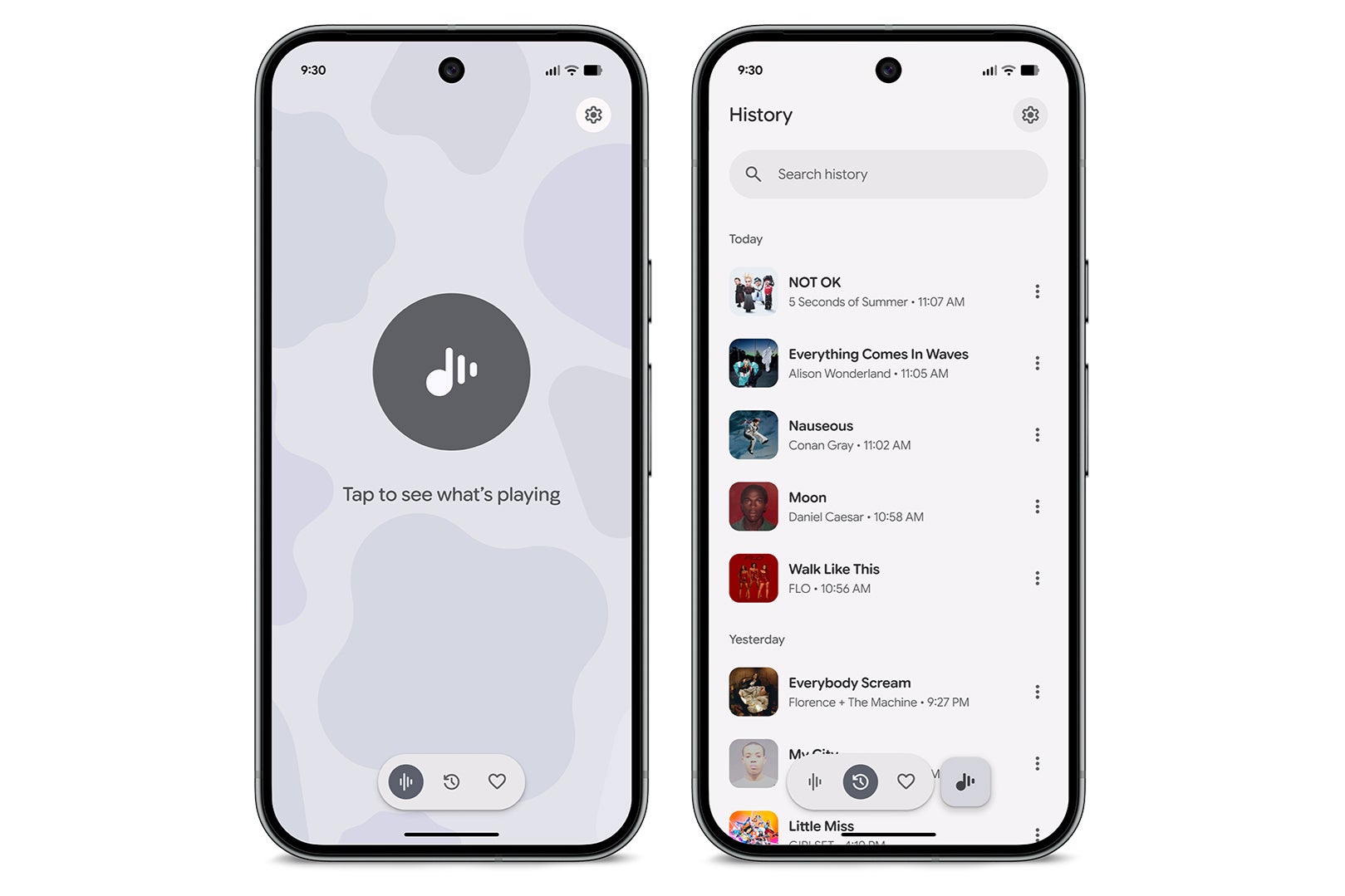
Now Playing app: You will now have a dedicated app that shows you all the songs your Pixel has identified.
Now Playing app. | Image by Google
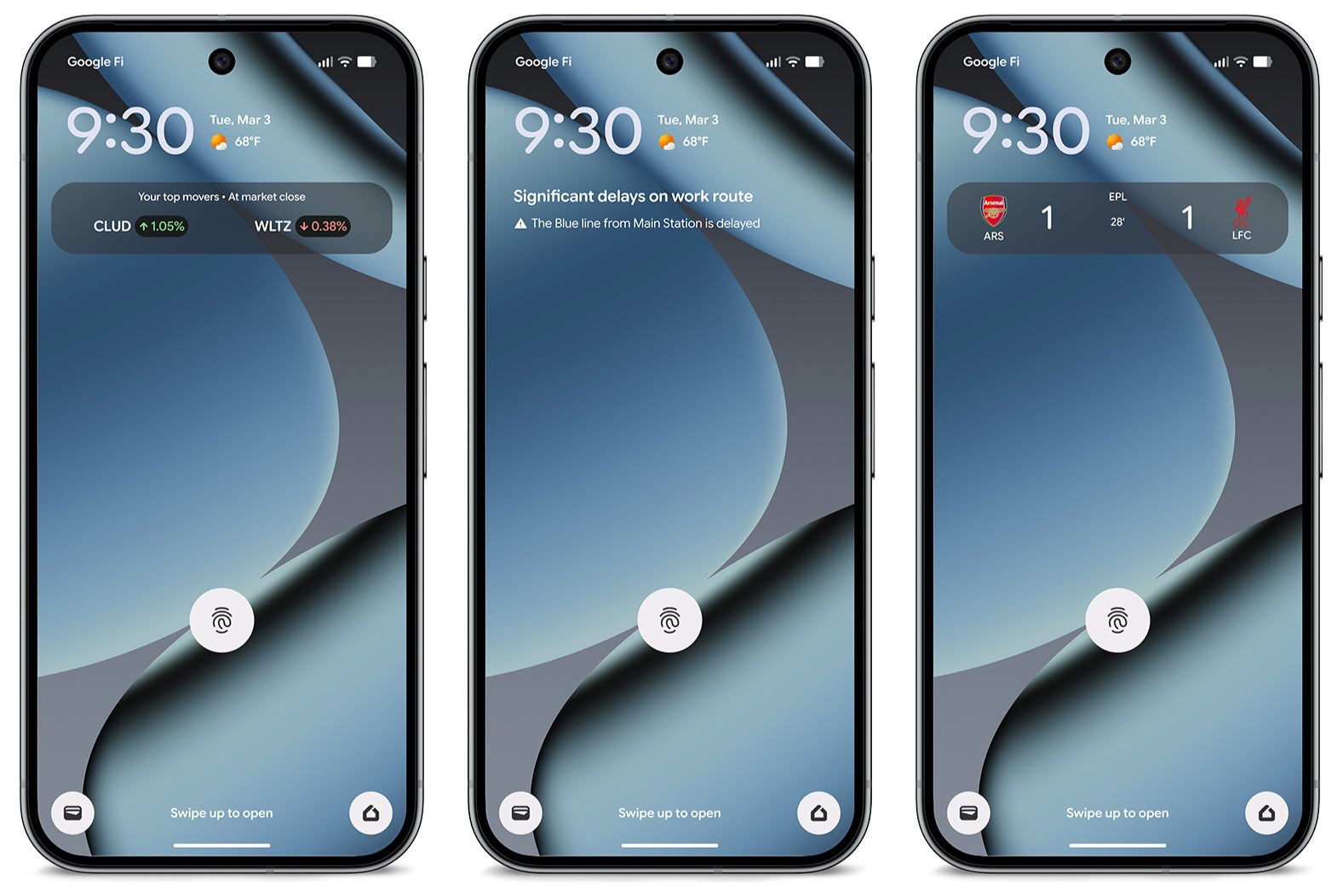
Updated "At a Glance": Your home and lock screens will be updated with the latest information. You will get real-time information on the commute, scores for your favorite teams, and a snapshot of your finances at the end of the day.
New 'At a glance' widget. | Image by Google
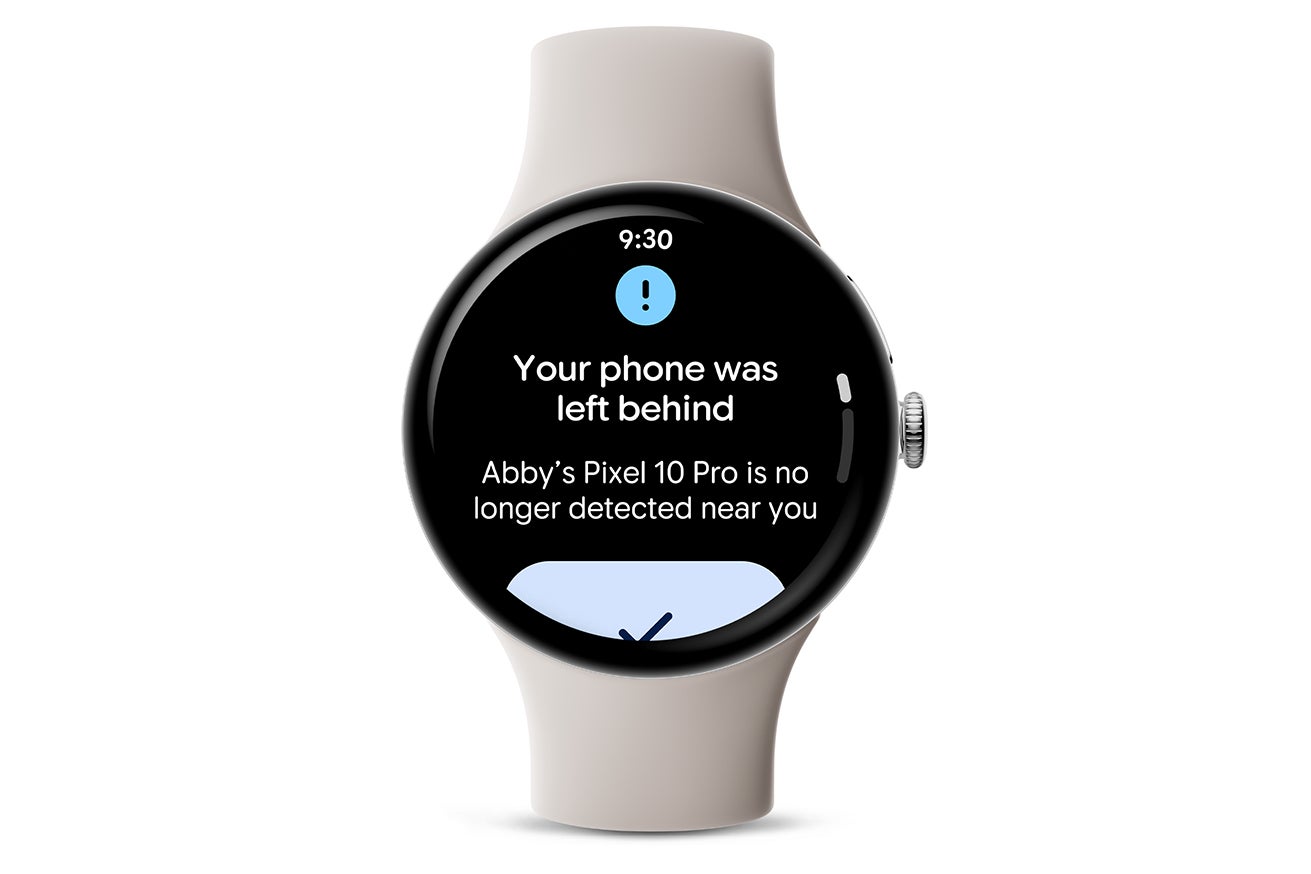
Left Behind Alerts: Your Pixel Watch will alert you if you leave your phone behind at a restaurant or a friend's home.
Left behind alerts. | Image by Google
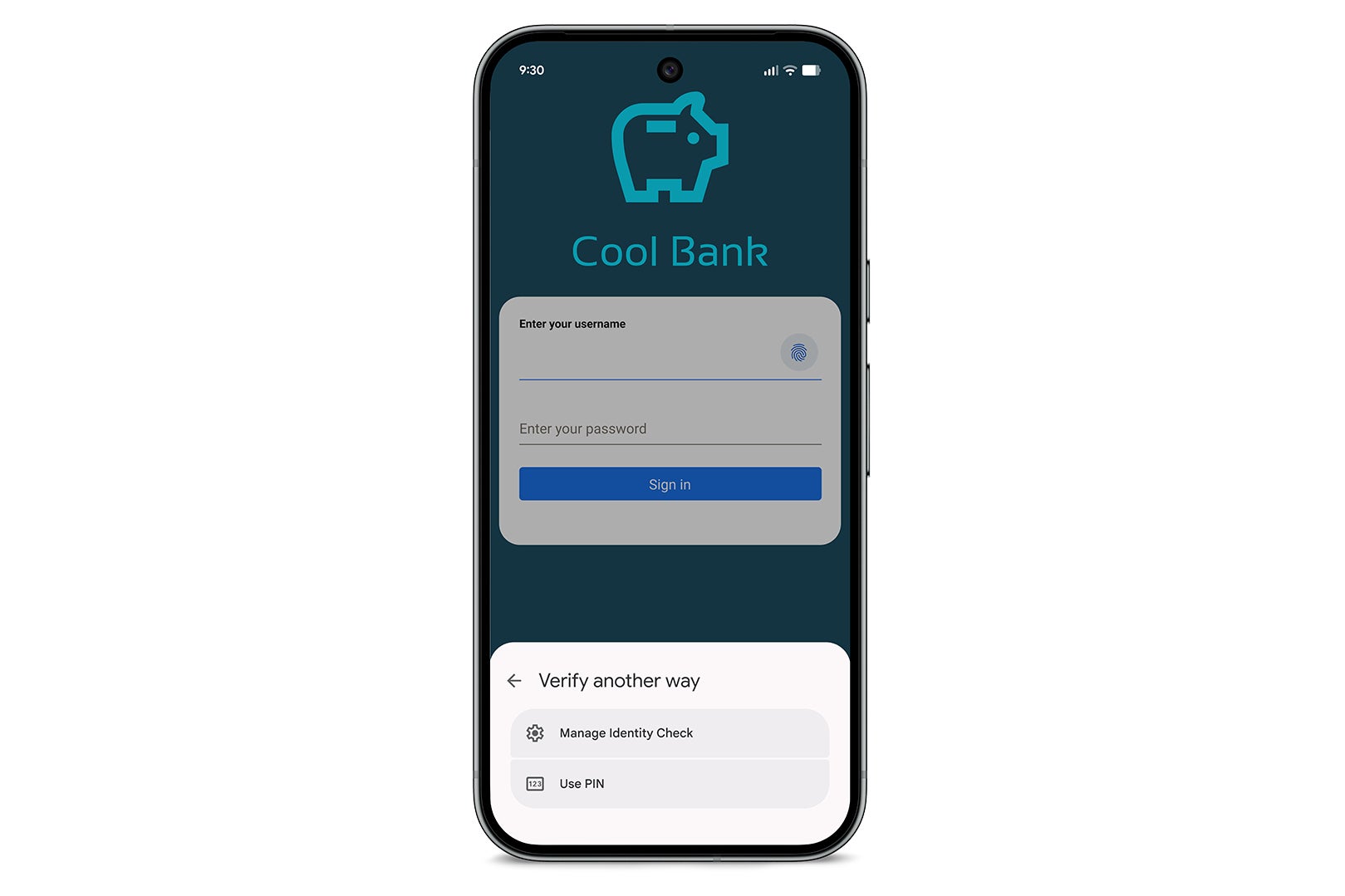
Phone Lock & Identity Check: Your Pixel Watch will automatically lock your phone if you leave it behind, and your phone's identity check will be faster with the latest mobile trusted locations.
Identity check. | Image by Google
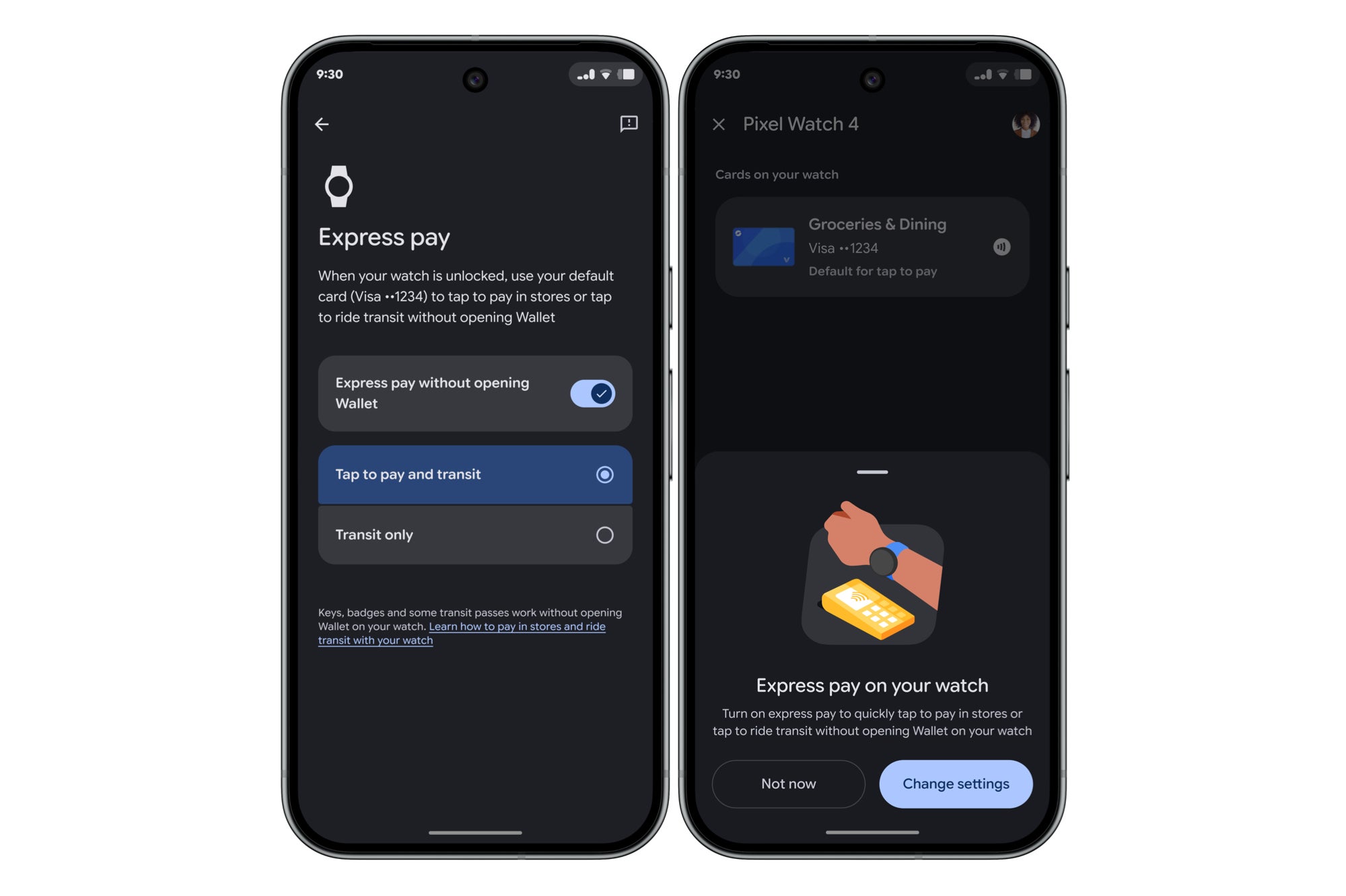
Express Pay: You no longer need to open the Wallet app on your phone and then pay at a retail outlet using your Pixel Watch. Simply turn and tap your Pixel Watch on the retail outlet.
Express Pay. | Image by Google
Desktop Experience: If you have a Pixel 8 or higher, you can now connect your phone to a monitor to view a full desktop experience in a multi-window mode.
Why these updates are important to the Pixel line
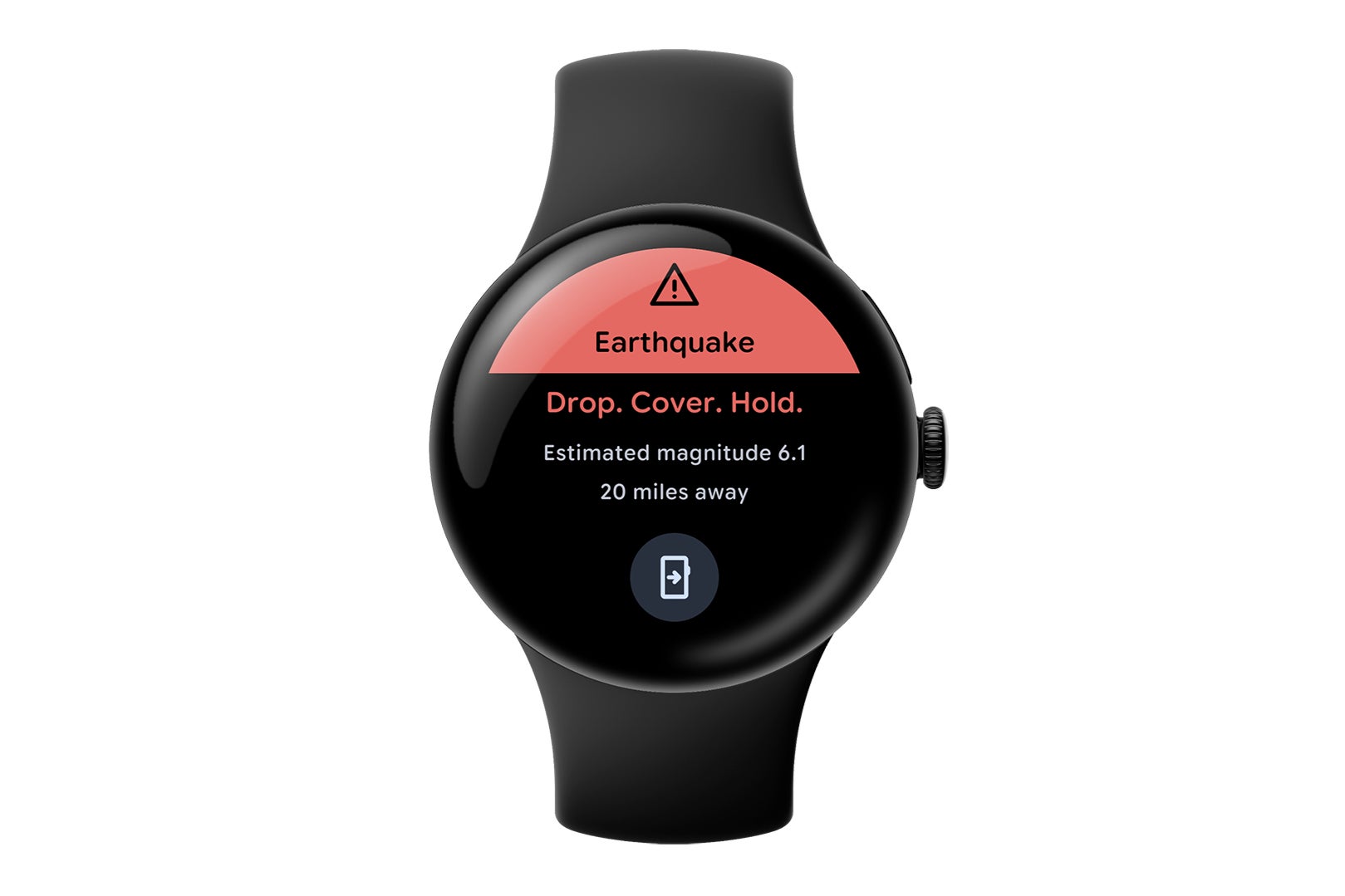
Earthquake alerts are now available on the Pixel Watch 2 and newer. | Image by Google
Recommended For You
Google is clearly trying to prove that buying a Pixel is an investment that will continue to grow and improve over time. By making features like a "Now Playing" history and "Connected Camera" support available to older devices like the Pixel 6, they're not forcing everyone to upgrade their devices in order to receive new features. It's also a strong indication of a much deeper integration of their Gemini Nano AI, which is controlling features like "Call Notes" and "Notification Summaries" without ever having to send data to the cloud.
Safety features are also getting a much-needed boost, too, especially for Pixel Watch 2 and higher users, who will now receive earthquake alerts directly on their watch, in addition to the ability to remind you if you leave your phone behind. These types of features help to further solidify the Pixel ecosystem as a whole.
Which new Pixel feature are you most excited to try out?
Circle to Search’s new "Try It On" fashion tool.
6.9%
The Desktop Experience for monitors.
53.45%
One-handed gestures on the Pixel Watch.
3.45%
Custom AI-generated home screen icons.
13.79%
The updated "At a Glance" widget.
22.41%
58 Votes
What I think about the March Pixel Drop
The one feature that stands out to me is the new "Desktop Experience." We've all seen companies do this right in the past, such as Samsung's use of DeX, but it's huge that it's now available on Pixel devices. This allows users to connect their devices to a desktop screen using USB-C in a native Android desktop mode.
I’m also impressed with the "One-Handed Gestures" that the Watch offers. We all find ourselves in a situation where our hands are full, and our watch is buzzing because we have an incoming call. The ability to double-pinch to answer the call is a great use of the hardware.
Overall, this is one of the strongest Feature Drops we’ve seen in a while, and it definitely makes me feel good about having a Pixel in my bag.
Johanna 'Jojo the Techie' is a skilled mobile technology expert with over 15 years of hands-on experience, specializing in the Google ecosystem and Pixel devices. Known for her user-friendly approach, she leverages her vast tech support background to provide accessible and insightful coverage on latest technology trends. As a recognized thought leader and former member of #TeamPixel, Johanna ensures she stays at the forefront of Google services and products, making her a reliable source for all things Pixel and ChromeOS.
A discussion is a place, where people can voice their opinion, no matter if it
is positive, neutral or negative. However, when posting, one must stay true to the topic, and not just share some
random thoughts, which are not directly related to the matter.
Things that are NOT allowed:
Off-topic talk - you must stick to the subject of discussion
Offensive, hate speech - if you want to say something, say it politely
Spam/Advertisements - these posts are deleted
Multiple accounts - one person can have only one account
Impersonations and offensive nicknames - these accounts get banned
To help keep our community safe and free from spam, we apply temporary limits to newly created accounts:
New accounts created within the last 24 hours may experience restrictions on how frequently they can
post or comment.
These limits are in place as a precaution and will automatically lift.
Moderation is done by humans. We try to be as objective as possible and moderate with zero bias. If you think a
post should be moderated - please, report it.
Have a question about the rules or why you have been moderated/limited/banned? Please,
contact us.













Things that are NOT allowed:
To help keep our community safe and free from spam, we apply temporary limits to newly created accounts: