iOS 26.4 patches the recent iPhone keyboard bug, but there's "one more thing" you need to do
Apple squashed the bug. The damage it left behind is another story.
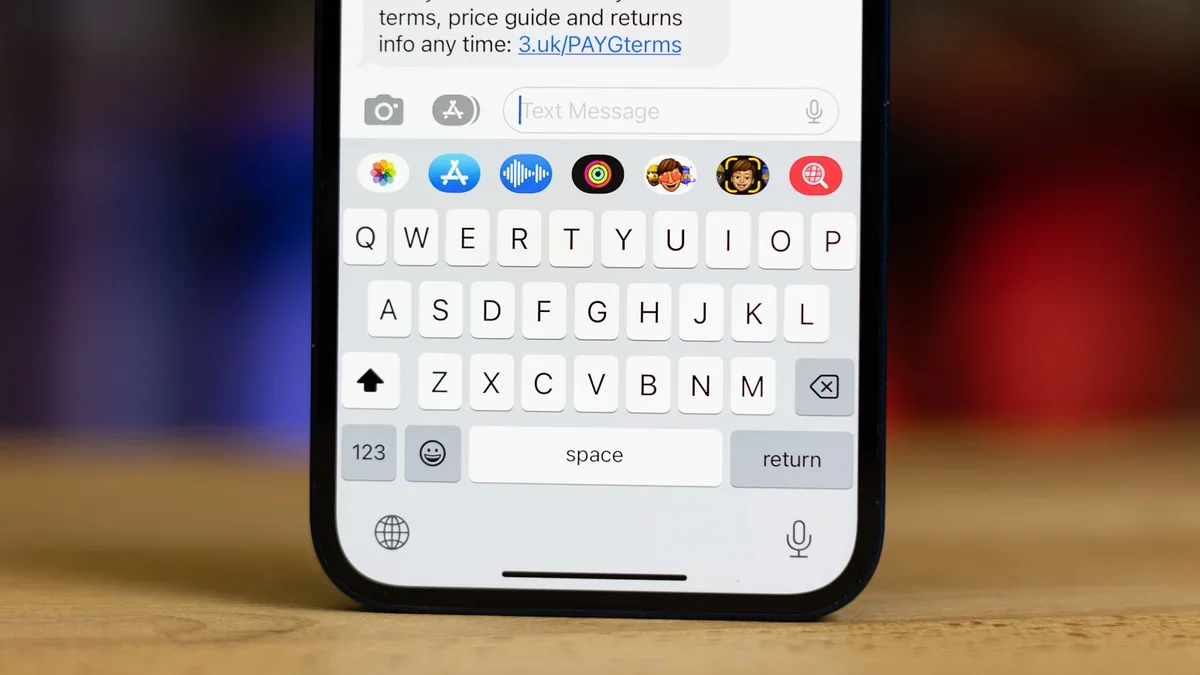
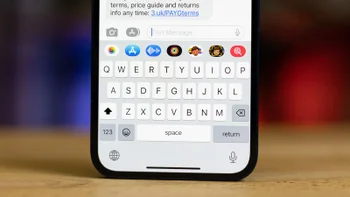
iOS Keyboard. | Image by PhoneArena
If you've been blaming your thumbs for all those iPhone typos lately, you were right to feel suspicious. Apple has finally squashed the keyboard bug that's been haunting iOS users for months, but updating to iOS 26.4 alone won't completely solve the problem. There's one more thing you need to do, and Apple isn't going out of its way to tell you about it.
The bug itself was infuriating in the simplest way possible. When typing quickly, the iPhone keyboard would either register the wrong letter or just skip your keystroke entirely. Your finger would clearly tap one key, and your phone would just decide you meant something else.
Apple confirmed the fix in the iOS 26.4 developer release notes, pointing to improved keyboard accuracy when typing quickly. We first covered the problem when a viral video exposed it last year, and more recently reported on the incoming patch.
Now, a new report is confirming the fix, but with a tidbit on what Apple isn't spelling out for you. While the update stops the bug from messing with your typing going forward, your iPhone has been quietly memorizing all those wrong keystrokes for months. Every mistyped word, every phantom letter, it all got baked into your keyboard dictionary like you meant it.
That corrupted data is still sitting there right now, feeding autocorrect bad suggestions even after the update. To actually start fresh, you need to wipe that dictionary yourself.
The whole process takes about 30 seconds. Here's what to do:
1. Open Settings and tap General.
2. Scroll down and tap Transfer or Reset iPhone.
3. Tap Reset at the bottom of the screen.
4. Select Reset Keyboard Dictionary.
5. Enter your passcode when prompted.
Once you do this, your keyboard forgets every custom word, nickname, and shortcut it ever learned. But it also forgets all the junk data the bug created, and that's the whole point.
Within a few days of normal typing, it picks your habits back up, this time without the interference. If you use multiple languages, heads up: this resets the dictionary for all of them.
A keyboard is probably the single most-used feature on any smartphone, so the fact that a bug this basic made it through multiple iOS updates before getting fixed is tough to overlook. This is part of a larger pattern we've been tracking since iOS 26 landed.
Apple's stock keyboard has had usability gaps for years at this point. And while iOS 26.4 does bring genuinely exciting stuff like Playlist Playground and video podcasts, the fundamentals took a back seat for too long.
Having dealt with this bug myself, I can say the difference after updating and resetting the dictionary was noticeable right away. Typing felt like typing again, not like arguing with my own phone.
Credit where it's due: Apple has finally fixed the bug. But leaving users to figure out the dictionary reset on their own feels unnecessary. If Apple knew the keyboard was feeding bad data into the dictionary for months, a simple prompt after the update offering to reset it would have gone a long way.
Now you know, though. Update to iOS 26.4, reset that dictionary, and your iPhone keyboard should finally feel like it belongs on a device you paid this much money for.
What Apple patched in iOS 26.4 (and what it left behind)
The bug itself was infuriating in the simplest way possible. When typing quickly, the iPhone keyboard would either register the wrong letter or just skip your keystroke entirely. Your finger would clearly tap one key, and your phone would just decide you meant something else.
Now, a new report is confirming the fix, but with a tidbit on what Apple isn't spelling out for you. While the update stops the bug from messing with your typing going forward, your iPhone has been quietly memorizing all those wrong keystrokes for months. Every mistyped word, every phantom letter, it all got baked into your keyboard dictionary like you meant it.
How to reset your keyboard dictionary on iOS 26.4
The whole process takes about 30 seconds. Here's what to do:
Steps to reset your iPhone keyboard dictionary
1. Open Settings and tap General.
2. Scroll down and tap Transfer or Reset iPhone.
3. Tap Reset at the bottom of the screen.
4. Select Reset Keyboard Dictionary.
5. Enter your passcode when prompted.
Once you do this, your keyboard forgets every custom word, nickname, and shortcut it ever learned. But it also forgets all the junk data the bug created, and that's the whole point.
Within a few days of normal typing, it picks your habits back up, this time without the interference. If you use multiple languages, heads up: this resets the dictionary for all of them.
iOS 26.4 keyboard fix steps. | Images by PhoneArena
A bug this basic shouldn't have survived this long
A keyboard is probably the single most-used feature on any smartphone, so the fact that a bug this basic made it through multiple iOS updates before getting fixed is tough to overlook. This is part of a larger pattern we've been tracking since iOS 26 landed.
Apple's stock keyboard has had usability gaps for years at this point. And while iOS 26.4 does bring genuinely exciting stuff like Playlist Playground and video podcasts, the fundamentals took a back seat for too long.
Having dealt with this bug myself, I can say the difference after updating and resetting the dictionary was noticeable right away. Typing felt like typing again, not like arguing with my own phone.
What frustrates you most about your iPhone's keyboard?
Apple could have made this easier
Credit where it's due: Apple has finally fixed the bug. But leaving users to figure out the dictionary reset on their own feels unnecessary. If Apple knew the keyboard was feeding bad data into the dictionary for months, a simple prompt after the update offering to reset it would have gone a long way.

Follow us on Google News






Things that are NOT allowed:
To help keep our community safe and free from spam, we apply temporary limits to newly created accounts: