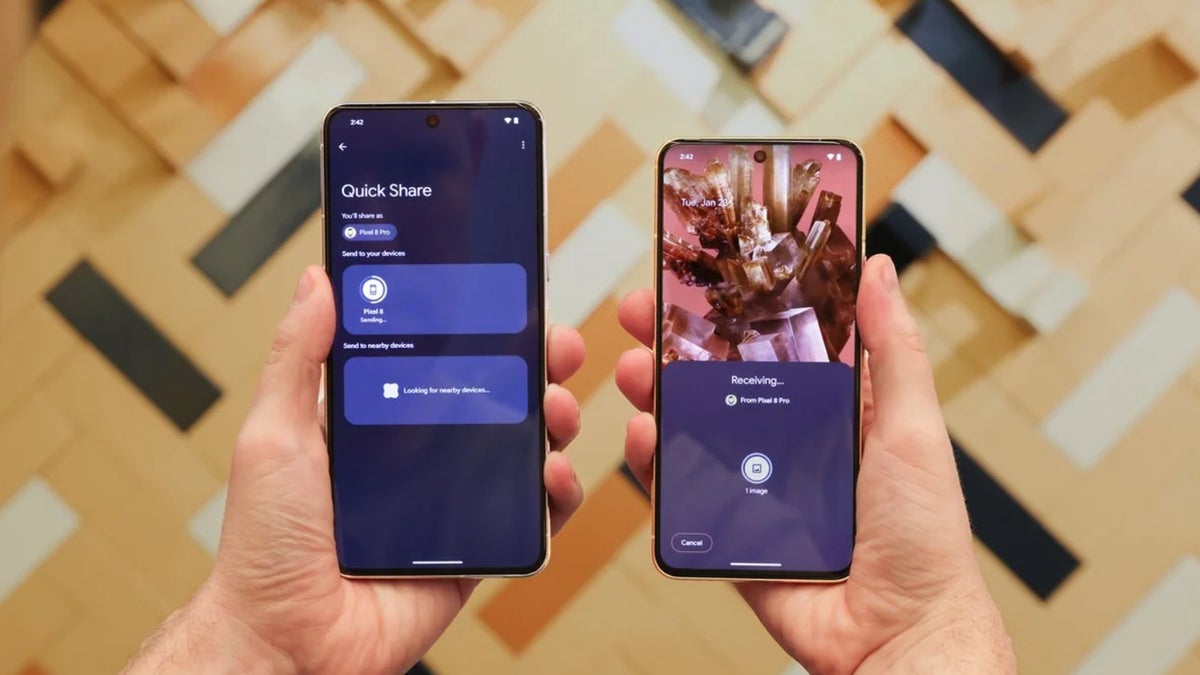
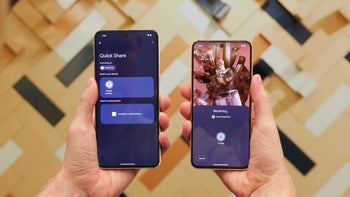
Android Quick Share has received several impressive upgrades recently. For instance, it can now transfer files between a Pixel and an iPhone, as well as a Galaxy device and an iPhone. Now, a recent finding suggests it will reportedly gain a new "Tap to Share" upgrade that enables NFC-based file sharing.
Share data between devices just by bringing them together
In one of the early preview builds of One UI 8.5, strings related to data sharing with Quick Share using NFC were reportedly spotted. For reference, NFC is a short-range wireless technology that allows you to transfer data between devices simply by gently tapping them together.
Recommended For You
The spotted strings suggest that with the upcoming One UI upgrade, Samsung could introduce the ability to share files between two compatible Galaxy devices simply by placing them close to each other. If you're a veteran Android user, this might ring a bell, as there used to be a feature called Android Beam that enabled data sharing between Android devices using NFC. It relied on Bluetooth, but Samsung could use Wi-Fi Direct instead, as it's comparatively much faster.
However, the feature wasn't available in the stable One UI 8.5 update, giving the impression that the South Korean giant might have stopped working on it. But that apparently isn't the case, as an upgraded version has now been spotted in a leaked One UI 9 build.
Recommended For You
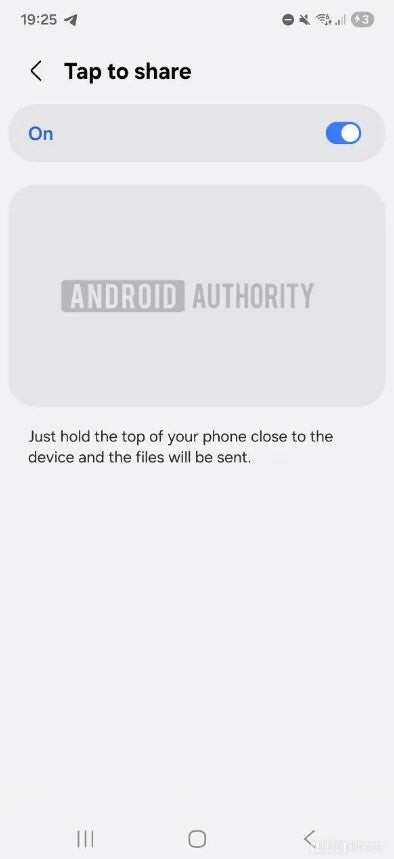
There's a new option called Tap to Share, and the leaked image suggests that you'll have manual control to enable or disable it. It also comes with a small description that clearly explains its functionality. It says, "Just hold the top of your phone close to the device, and the files will be sent."
An inspiration from Apple's NameDrop
Tap to Share option in One UI 9 update. | Image by Android Authority
It works the same way that the Tap to Share upgrade Samsung is preparing is reported to function. You need to bring two compatible Apple devices next to each other for the NFC handshake to complete. Apple NameDrop was initially able to share only contacts, but later it received the ability to transfer files as well, like photos.
It might not be exclusive to Samsung
NFC-based file sharing sounds like a groundbreaking capability. However, if you don't have a Galaxy smartphone like me, you might think that you can't experience it. Fortunately, you can, if recent reports pan out to be true.
As it turns out, a few months ago, a feature, internally referred to as "Gesture Exchange," was reportedly spotted inside Google Play services. Its description suggests that it will work similarly to Apple's NameDrop, allowing you to bring two Android phones next to each other to share contacts.
The mention of the same Gesture Control has now reportedly been found in the Quick Share app within one of the One UI 9 builds. This strongly indicates that it will allow two Android phones, which obviously include Galaxy smartphones, to share contacts and transfer files simply by bringing them close together.
A new system-level service referred to as TaptoShare has also been found in Android 17 beta and Canary builds. Furthermore, it is reportedly a core feature like Bluetooth or Wi-Fi and relies on Google Play Services to function. All this increases the possibility that the feature will not remain exclusive to Samsung and will be available across all Android devices.
Which file transfer method do you use on your Android phone?
It'll definitely be a welcome change
Before upgrading to the Pixel 10 last year, I had an iPhone 15 and enjoyed its NameDrop feature. I really liked the small animation that appeared on the screen when the NFC connection was established. Now, I'd like to see something similar on my Android phone too.
The introduction of this capability will ensure that you won't need to open Quick Share and select the receiver's device to send files. Instead, you would simply have to bring your phone and the receiver's smartphone together to instantly transfer files between them.
All that said, it's worth noting that there's no surety on when, or even if, this upgrade will actually arrive. However, if it does come, I believe we'll hear more about it as we approach the Android 17 update. And since its evidence is currently only being spotted on a One UI build, it will come as no surprise if it's first introduced on Galaxy phones before rolling out to other Android brands later.
Aman Kumar is a tech news writer with a long-standing passion for smartphones. Aman specializes in everything smartphones, from AI features like Pixel’s Camera Coach to understanding ideal hardware combinations. He loves breaking down complex features in a simple, clear way and hopes manufacturers bring back bold designs like the Nokia N-Gage. When he’s not writing, he’s either gaming on PUBG or talking fitness as a dedicated gym enthusiast.
A discussion is a place, where people can voice their opinion, no matter if it
is positive, neutral or negative. However, when posting, one must stay true to the topic, and not just share some
random thoughts, which are not directly related to the matter.
Things that are NOT allowed:
Off-topic talk - you must stick to the subject of discussion
Offensive, hate speech - if you want to say something, say it politely
Spam/Advertisements - these posts are deleted
Multiple accounts - one person can have only one account
Impersonations and offensive nicknames - these accounts get banned
To help keep our community safe and free from spam, we apply temporary limits to newly created accounts:
New accounts created within the last 24 hours may experience restrictions on how frequently they can
post or comment.
These limits are in place as a precaution and will automatically lift.
Moderation is done by humans. We try to be as objective as possible and moderate with zero bias. If you think a
post should be moderated - please, report it.
Have a question about the rules or why you have been moderated/limited/banned? Please,
contact us.






Things that are NOT allowed:
To help keep our community safe and free from spam, we apply temporary limits to newly created accounts: